
BGMI Style Name Generator – Stylish Fonts, Symbols & Cool Tags Free
Your BGMI name shows up everywhere — the kill feed, the lobby list, your squad screen. If it’s still the default your account came with, other players aren’t remembering you. A stylish name built with the right Unicode fonts and symbols changes that instantly.
This tool transforms whatever name you type into 500+ styled variations — fancy fonts, Gothic borders, crown tags, attitude combos — all copy-paste ready for your Rename Card. No login. No app download. Just type, pick, copy, paste.
How to Use the BGMI Style Name Generator
Three steps, and you’re done:
- Type your name or gaming tag into the box above. It can be anything — your real name, a word, a vibe like “Phantom” or “Ghost.”
- Browse the style variations that appear. The tool generates multiple font styles simultaneously — Gothic, script, bold, double-struck, and more.
- Click the Copy button next to whichever style you want. Then open BGMI, go to your profile, use your Rename Card, and paste it.
One thing worth knowing before you start: BGMI’s character limit is 14–16 characters depending on how Unicode counts the symbols. A name that looks short might actually hit the limit faster than you expect. The generator shows a live character count so you know exactly where you stand before wasting a Rename Card.
What Font Styles Does This Tool Support?
Most BGMI name generators give you the same five fonts and call it a day. This tool covers the full range of Unicode character blocks that actually render inside BGMI without getting stripped or replaced with blank squares:
Gothic / Old English — ꧁𝕯𝖆𝖗𝖐𝕷𝖔𝖗𝖉꧂ — Heavy and dramatic. Consistently popular on kill feeds because it reads as serious and intimidating.
Mathematical Bold Italic — 𝑩𝒍𝒂𝒅𝒆𝑯𝒖𝒏𝒕𝒆𝒓 — Cleaner than Gothic. Works well if the name itself is strong and you don’t want the font to compete with it.
Double Struck — 𝔹𝕝𝕒𝕔𝕜𝕆𝕦𝕥 — Underused and striking. Fewer players run this style, which means your name stands out more in a lobby where everyone else is using Gothic.
Script / Cursive — 𝒮𝒽𝒶𝒹𝑜𝓌𝒦𝒾𝓃𝑔 — Looks elegant rather than aggressive. Popular with players who want a “pro” aesthetic without the heaviness of bordered styles.
Encircled / Boxed — ⓓⓐⓡⓚⓛⓞⓡⓓ — Compact and readable at small sizes. Holds up well on kill feeds where names get squeezed into narrow spaces.
Symbol-Framed — ꧁༒𝕷𝖔𝖗𝖉༒꧂ — The classic BGMI aesthetic. The ꧁ ꧂ frame paired with ༒ or ♛ is what most players picture when they hear “stylish BGMI name.”
One thing most guides don’t mention: regular colorful emojis (🔥 ⚔️ 👑) don’t actually work in BGMI. The game strips them or renders them as blank boxes. This generator only outputs Unicode symbols that have been confirmed to display correctly — no colorful emoji, no broken characters.
Trending BGMI Name Styles in 2026
The naming meta in BGMI shifts over time, just like the weapon meta. What was everywhere in 2024 looks dated now. Here’s what’s actually trending right now:
Minimal Royal — Short names with a single crown or frame. ♛Ghost♛ or ꧁King꧂. Players are moving away from overstuffed symbol combos and toward cleaner, more readable setups.
Asian Symbol Frames — Characters like 么, 亗, and ꥰ used as stylistic anchors. 亗Shadow亗 has a very different visual weight than a standard Latin-character name.
Double-Frame with Gap — ꧁༒Name༒꧂ style with exactly one or two decorators on each side. The discipline of keeping it clean is what makes it look pro.
Attitude Keywords with Gothic Font — Words like Fury, Reaper, Venom, or Phantom in 𝕱𝖚𝖗𝖞 or similar Gothic weight. Aggressive without being unreadable.
What’s fading: names packed wall-to-wall with symbols on both sides, all-caps everything, and anything that looks like it was generated in 2020.
Popular BGMI Name Styles for Boys (Ready to Copy)
These are tested to work within BGMI’s character limits:
| Style | Name | Characters |
|---|---|---|
| Gothic Frame | ꧁𝕯𝖆𝖗𝖐𝕶𝖎𝖓𝖌꧂ | 12 |
| Minimal Royal | ♛Phantom♛ | 10 |
| Asian Anchor | 亗ShadowX亗 | 10 |
| Script Clean | 𝒮𝓃𝒾𝓅𝑒𝓇𝒢𝑜𝒹 | 9 |
| Double Struck | 𝔾𝕙𝕠𝕤𝕥𝕂𝕚𝕝𝕝 | 10 |
| Bold Italic | 𝑷𝒉𝒂𝒏𝒕𝒐𝒎𝑿 | 9 |
Pro tip: Test your chosen name in your phone’s notes app before using a Rename Card. Paste it there first — if it renders correctly on your device, it’ll render correctly in BGMI.
Popular BGMI Name Styles for Girls (Ready to Copy)
| Style | Name | Characters |
|---|---|---|
| Cursive Elegant | 𝒬𝓊𝑒𝑒𝓃𝒮𝑜𝓊𝓁 | 9 |
| Star Frame | ★CutieKiller★ | 13 |
| Script Royal | 𝒫𝓇𝒾𝓃𝒸𝑒𝓈𝓈 | 9 |
| Minimal Aesthetic | ꧁𝑨𝒖𝒓𝒐𝒓𝒂꧂ | 10 |
| Bold Cursive | 𝓑𝓵𝓪𝔃𝓮𝓠𝓾𝓮𝓮𝓷 | 10 |
| Crown Tag | ♕NightViper♕ | 12 |
BGMI Symbol Library — Copy Any Symbol Directly
These symbols are confirmed to work in BGMI. Standard emojis do not. Copy directly from here:
Frame Symbols: ꧁ ꧂ ༒ ༺ ༻ 《 》【 】「 」
Crown & Royal: ♛ ♕ ♔ ♚ 👑 (note: 👑 renders inconsistently — use ♛ instead)
Weapon & Battle: ⚔ ✞ ☠ ᚇ ꕤ ⚡
Asian Decorators: 亗 么 ꥰ 彡 ツ ク
Stars & Shapes: ★ ☆ ✦ ✧ ✩ ✪ ◈ ◆
Floral / Aesthetic: ✿ ❀ ❁ ⊹ ✽
How to Change Your Name in BGMI (Step by Step)
If you’re new to BGMI or haven’t changed your name before, here’s the exact process:
- Open BGMI and tap your profile icon in the top-left corner of the home screen.
- Tap the pencil/edit icon next to your current display name.
- A rename popup will appear. Clear your existing name completely.
- Paste the stylish name you copied from the generator above.
- Check the preview — if it looks right, confirm.
- You’ll need a Rename Card to make the change. Your first rename after creating a fresh account is free. After that, Rename Cards are available from the in-game shop or as event rewards.
If the name throws an error when you try to save it, it usually means one of two things: the name is too long in byte count (even if it looks short), or it contains a character BGMI doesn’t support in that particular build version. Try a simpler variation — remove one symbol from each side and try again.
Why Your BGMI Name Matters More Than You Think
Most players treat the name change as cosmetic. It’s actually more functional than that.
Your name appears in every kill notification across the match. Every player who gets eliminated by you sees your name. In tournament lobbies, your name is how casters, spectators, and opponents identify you before they’ve seen your gameplay. Players who stream or post highlights become searchable by their IGN — which means a memorable, stylish name has real discoverability value if you’re building any kind of audience on YouTube or Instagram.
The character limit (14–16 characters) is tight enough that choosing what to include is a real decision. A name that’s too symbol-heavy becomes unreadable at small sizes. A name with no styling gets ignored. The best BGMI names are the ones that are immediately readable AND visually distinct — usually one clean font style with one or two anchoring symbols, not ten.
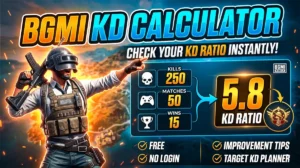
BGMI KD Calculator — Check Your KD Ratio Instantly
BGMI KD Calculator – Check Your KD Ratio Instantly Are you curious about your Kill/Death (KD) ratio in Battlegrounds Mobile…
FAQ Section
(Use H3 for each question — enables FAQ schema in Rank Math)
Is this BGMI style name generator free to use?
Yes, completely free. There’s no login, no account required, and no limit on how many styles you can generate or copy. BGMITools.com is a free tool hub for BGMI players.
Why isn’t my stylish name working when I paste it into BGMI?
Two common reasons: the name exceeds BGMI’s byte limit (even names that look short can hit the cap faster with Unicode symbols), or it contains a character that BGMI doesn’t support. Remove one or two symbols and try again. Always test in your notes app before using a Rename Card.
Do I need a Rename Card to change my BGMI name?
Yes. BGMI gives you one free rename when you’re new to the game. After that, each name change requires a Rename Card, which you can buy from the in-game shop or earn through events and missions.
Can I use these stylish names in PUBG Mobile too?
Yes. BGMI and PUBG Mobile share the same Unicode character support for usernames, so any name that works in BGMI will also work in PUBG Mobile.
Will emojis like 🔥 or ⚔️ work in my BGMI name?
Colorful emojis (the standard ones) generally don’t work — BGMI either strips them or shows blank boxes. Use Unicode symbols instead, like ⚔ (sword), ★ (star), or ♛ (crown). The generator on this page only outputs characters confirmed to display correctly.
How many characters can my BGMI name be?
BGMI supports up to 14–16 characters for display names. However, Unicode symbols can count as more than one character in terms of byte length, so a name that visually looks like 10 characters might actually hit the limit. Keep your visible character count under 12 to be safe when adding border symbols on each side.