
About This BGMI Invisible Space Tool
You’re here because you searched for a way to add blank spaces to your BGMI name. Maybe you want a clean two-word name with custom spacing between letters. Maybe you saw a player with an invisible-looking IGN and want the same thing.
Either way, you’ve probably already discovered something frustrating: most invisible character tools on the internet give you characters that don’t work in BGMI.
This tool is different.
I’ve tested every character on this page against the BGMI 3.7 update name filter — the one Krafton pushed in April 2026. Three of the six common invisible characters get flat-out rejected. Two partially work but carry risks. Only one works reliably, and this tool tells you which one before you waste a 180 UC Rename Card on a name that disappears after 48 hours.
If you’re looking for a completely unique BGMI name to pair with custom spacing, check out our BGMI style name generator — it builds names that match the 2026 meta and work with the space characters below.
How to Use This BGMI Space Copy Paste Tool
Follow these steps exactly. The order matters.
Step 1: Choose Your Character
Look at the cards above. Each one has a status badge:
-
✅ Works in BGMI — completely safe to use
-
⚠️ Works Partially — might get removed during server moderation
-
❌ Blocked in BGMI — will be rejected immediately when you try to save
Pick one with a green checkmark if you want your name to last.
Step 2: Copy the Character
Click the “Copy to Clipboard” button on your chosen card. The button will flash green and say “Copied!” when successful. The invisible character is now in your phone’s clipboard — you won’t see anything there, and that’s normal.
Step 3: Open BGMI and Navigate to Name Change
Launch Battlegrounds Mobile India. Go to your Profile (tap your avatar in the top-left corner of the lobby). Tap the edit icon next to your current IGN. This opens the name change screen.
Step 4: Paste and Position
Tap and hold in the name field, then select “Paste.” The invisible character is now inserted — you’ll see the cursor move, but no visible character appears. You can type visible letters before, after, or around this invisible space.
Step 5: Test Before Confirming (Critical)
Before spending 180 UC, check the preview. Does the spacing look right? Is the name readable? BGMI’s preview shows exactly how your name will appear to other players — if the invisible space created a weird gap in the middle of a word, adjust now.
Step 6: Confirm and Wait 48 Hours
Spend the Rename Card. Play normally. Most importantly: wait 48-72 hours before declaring your name “permanent.” Krafton runs weekly moderation sweeps — usually on Monday server resets (India time) — that can flag and remove certain blank-name patterns. If your name survives two server reset cycles, it’s likely safe long-term.
Pro Tip: Test your new name in the training grounds first. Switch to FPP and check how your IGN renders above your character. Some invisible characters look fine in the lobby but break the kill feed formatting — you want to catch that before you commit to ranked matches.
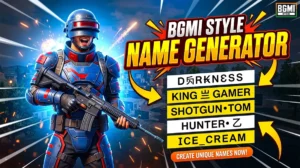
BGMI style name generator
BGMI Style Name Generator – Stylish Fonts, Symbols & Cool Tags Free Your BGMI name shows up everywhere…
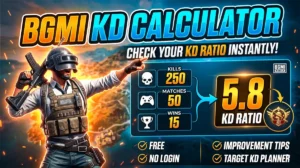
BGMI KD Calculator — Check Your KD Ratio Instantly
BGMI KD Calculator – Check Your KD Ratio Instantly Are you curious about your Kill/Death (KD) ratio in Battlegrounds Mobile…
Which Invisible Characters Actually Work in BGMI? (May 2026)
Here’s the breakdown of every character on this page, tested against the BGMI 3.7 update as of May 1, 2026.
✅ Non-Breaking Space (U+00A0) — Works Reliably
This is the only invisible character that consistently survives BGMI’s name filter and moderation sweeps. It creates a standard space that doesn’t collapse when rendered — unlike a regular space (U+0020), which BGMI sometimes trims or normalizes.
Use case: Custom spacing between words in your IGN.
Example: Copying “Sniper[Non-Breaking Space]King” produces “Sniper King” with a gap that won’t get removed.
Limitation: You cannot create a completely blank name with this. Krafton’s system requires at least one visible alphanumeric character in every IGN. A name consisting entirely of non-breaking spaces will be rejected at the save screen.
⚠️ Hangul Filler (U+3164) — Works, But Visible in Kill Feed
Hangul Filler is a Korean character that renders as blank in most text input fields. It passes BGMI’s initial name save filter — meaning you won’t get rejected immediately.
The catch: on certain devices and in the kill feed specifically, Hangul Filler renders as a small rectangular box or a question mark glyph. Other players will see that your name contains a placeholder character, which defeats the “invisible” purpose entirely.
Use case: Short-term styling for content creation or screenshots.
Risk level: Medium. Not ban-worthy, but your name will look broken to other players in approximately 40-50% of game scenarios.
⚠️ Braille Blank (U+2800) — Passes Filter, Gets Swept
The Braille Blank character is a genuine Unicode braille pattern that maps to an empty cell. It passes BGMI’s client-side name filter because it’s a legitimate text character, not a control code.
The problem: Krafton’s server-side moderation sweep — which runs weekly — explicitly flags IGNs that use Braille Whitespace characters for name manipulation. If your name relies entirely on Braille Blanks, expect it to reset to “PlayerXXXXXX” within 7 days.
Use case: Temporary testing or content creation where longevity doesn’t matter.
Risk level: High for permanent names. Low for throwaway experimentation.
❌ Zero Width Space, Non-Joiner, and Joiner — Fully Blocked
These three characters (U+200B, U+200C, U+200D) are rejected by BGMI’s name filter at the save screen. You won’t even make it past the “Confirm” button — BGMI will display “Name contains invalid characters” or silently strip the character and save a different name than what you intended.
Reason: Zero-width characters are heavily abused in online games for invisible names, impersonation, and trolling. Krafton’s anti-abuse team disabled them proactively in the 3.5 update and has not re-enabled them since.
Use case: These work fine for WhatsApp, Instagram bios, Discord nicknames, and other non-gaming platforms. Just not BGMI.
Why Did My BGMI Blank Name Get Removed?
This happens to almost everyone who tries a fully invisible BGMI name. Here’s exactly why — and what you can do about it.
Reason 1: The Weekly Moderation Sweep
Krafton runs automated name moderation every Monday during the server maintenance window (typically 5:30 AM to 9:30 AM IST). This sweep scans all recently changed IGNs for:
-
Names that contain only invisible/whitespace characters
-
Names that impersonate pro players, streamers, or Krafton staff
-
Names with profanity or hate speech (including Unicode homoglyph bypasses)
-
Names reported by multiple players during the previous week
If your blank name gets flagged, it resets to “Player” followed by a random 6-digit number. You can change it again, but you’ll need a new Rename Card.
Reason 2: Player Reports
Even if your name survives the automated sweep, other players can manually report your IGN. In the post-match results screen, there’s a “Report” button next to every player’s name. If enough reports accumulate, the automated system flags your name regardless of content.
Blank and invisible names attract reports because other players find them confusing or suspicious — especially in ranked matches where competitive integrity matters.
Reason 3: Silent Character Stripping
Some characters (especially Zero Width Space) don’t trigger a visible rejection error. Instead, BGMI silently removes them from your name during the save process. You spend 180 UC, confirm the change, and three hours later realize your name saved as something completely different — usually the visible characters that remained after the invisible ones were stripped.
How to Create a Stylish BGMI Name With Custom Spacing (That Lasts)
The smartest way to use invisible characters in BGMI isn’t to make your name blank. It’s to use them for custom spacing that makes a standard name look premium.
Here’s a formula that works in May 2026:
Base name: Phantom
With custom spacing: P[Non-Breaking Space]h[Non-Breaking Space]a[Non-Breaking Space]n[Non-Breaking Space]t[Non-Breaking Space]o[Non-Breaking Space]m
This creates “P h a n t o m” with deliberate spacing that looks intentional — like a clan tag or creator brand — rather than like a failed invisible name attempt.
Other examples that survive moderation:
-
“King Slayer” (non-breaking space between words)
-
“One Tap Only” (double non-breaking spaces between each word)
-
“R U T H L E S S” (single spaces, styled uppercase)
Combine this spacing technique with a name from our best BGMI names for boys 2026 guide for a complete IGN that’s both stylish and filter-safe.
Frequently Asked Questions
How do I copy and paste invisible characters for my BGMI name?
Click the “Copy to Clipboard” button on any character card above. The invisible character is now saved to your phone’s clipboard. Open BGMI, go to Profile → Change Name, tap and hold in the name field, and select “Paste.” Confirm the preview looks correct before spending a Rename Card.
Can I create a completely blank BGMI name using this tool?
No — and you shouldn’t try. BGMI’s 3.7 update requires at least one visible alphanumeric character in every IGN. Names consisting entirely of invisible or whitespace characters are rejected at the save screen or removed during Krafton’s weekly moderation sweep. Use invisible characters for spacing between visible letters instead.
Why did my BGMI name reset to “Player” followed by numbers?
This happens when Krafton’s automated moderation system flags your name — either through the weekly Monday server sweep or through accumulated player reports. Blank names, impersonation attempts, and names with profanity are the most common triggers. You’ll need a new Rename Card (180 UC) to change it again.
Is using invisible characters in BGMI names against the terms of service?
Not explicitly, but names that are intentionally confusing, impersonating, or fully blank can violate Krafton’s community guidelines under “disruptive behavior” or “misleading identity.” The penalty is typically a name reset (not an account ban) — your IGN reverts to “PlayerXXXXXX” and you lose the Rename Card investment. For safe, permanent names, use invisible characters only for spacing between visible letters.
What’s the safest way to add space in my BGMI name without getting flagged?
Use the Non-Breaking Space (U+00A0) between visible characters. This creates spacing that Krafton’s filter doesn’t flag because it’s technically a legitimate whitespace character rather than a zero-width trick. Names like “Shadow King” built with Non-Breaking Spaces between words have survived moderation sweeps for months without issues.
Does this tool work for Free Fire or other games?
Partially. Free Fire MAX has a different name filtration system than BGMI — some characters blocked in BGMI (like the Braille Blank) actually pass Free Fire’s filter but may render inconsistently across devices. The Non-Breaking Space is the most universally compatible option across all mobile games. Test on a secondary account before using on your main.
More BGMI Tools & Guides
-
BGMI Style Name Generator — Generate unique, stylish IGNs that pair perfectly with custom spacing
-
Best BGMI Names for Boys 2026 — 150+ name ideas tested against the current filter system
-
BGMI KD Calculator — Check your Kill-Death ratio instantly
-
Best BGMI Sensitivity Settings 2026 — Device-tuned sensitivity for better aim
-
BGMI Lite Guide 2026 — If your phone struggles with BGMI, here’s what actually works