
Best BGMI Name Symbols (300+ Stylish & Unique Copy-Paste Characters)
Want to make your BGMI profile stand out in the lobby? You’re in the right place. Our free BGMI Symbols library gives you 300+ copy-paste symbols to create a unique identity in Battlegrounds Mobile India. Forget manually typing complex character codes—just click any symbol above, and it’s instantly copied to your clipboard. No login, no Rename Card purchase required just to browse.
Browse categories like Crowns & Stars (♛ ☆ ★), Weapons & Gaming (⚔️ 🔫 🎯), Japanese style (ツ シ ジ), Hearts (❤️ 💜 💛), Aesthetic dividers (✦ ✧ ❖), Arrows (➤ ➜ →), Brackets (「」『』), Animals (🐯 🐺 🦅), Skulls & Danger (💀 ☠️ ⚠️), and Circled Numbers (①②③). Whether it’s creating a fearsome clan name or a cute bio, you’ll find the perfect character here.
Unlike basic symbol lists on other blogs, our tool lets you build your style in real-time. The symbols work on Android and iOS across all popular titles like BGMI, PUBG Mobile, and New State.
How to Copy and Use BGMI Symbols in 3 Simple Steps
Forget the hassle of downloading separate apps or decoding Alt codes. Use our library above and then follow these steps using a Rename Card in the game:
-
Click & Copy: Click any symbol from the collection above—our tool instantly copies it and shows a “Copied!” confirmation.
-
Prepare in Notes: Open any Notes app on your phone. Paste the symbol first, then type your desired in-game name (e.g.,
♛RAVENorᶠᴸᴬˢᵸツ). -
Apply in BGMI: Open BGMI > Go to Inventory > Tap the box icon > Select Rename Card and tap Use. Paste your prepared name from the Notes app into the field and hit OK.
Note: If you don’t have a Rename Card, you can buy one for 180 UC in the in-game shop. Krafton occasionally gives them out during events or major updates. Using the symbols on this page does not require any special in-game currency.
Popular BGMI Name Styles and Combos
Here are some fresh, trendy style combinations created using the symbols from our library. These are perfect for competitive squads, pro players, and content creators.
-
Pro/Competitive Style:
-
꧁༒☬JOKER☬༒꧂ -
༄ᶦᶰᵈ᭄☯GOD么 -
╾━╤デ╦︻SNIPER
-
-
Stylish & Cool:
-
🔥SL4YERツ -
★꧁༒DEVIL༒꧂★ -
乂❤‿❤乂ANGEL
-
-
Short & Unique:
-
♛KING☆ -
乛LEGEND彡 -
▄︻デTITAN══━一
-
Why Use Symbols in Your BGMI Name or Bio?
Adding unique characters to your BGMI profile does more than just decoration. In a game with millions of players, a stylish name:
-
Creates Identity: Stand out in the lobby and on the battleground. A unique name like
𒆜ALPHA𒆜is more memorable than a default one. -
Builds Reputation: Streamers and pro players (like Jonathan or Scout) use specific symbols to brand their squads, creating a sense of teamwork and elite status.
-
Offers Intimidation: Complex designs like
╾━╤デ╦︻or(▀̿Ĺ̯▀̿ ̿)can act as a psychological tool, signaling that you are an experienced and serious competitor.
🔍 Frequently Asked Questions (FAQ)
Do BGMI symbols work in player names?
Answer: Yes! All symbols on this page work in Battlegrounds Mobile India (BGMI) names. We continuously test these symbols; while some rare Unicode characters may show as □ on very old OS versions, 98% work perfectly on both modern Android and iOS devices.
How do I copy and use these symbols?
Answer: Simply click/tap any symbol above—it auto-copies to your clipboard. Then open BGMI → Profile → tap the pencil icon next to your name or bio → long-press and select Paste. Ensure you have a Rename Card (found under Inventory → Box icon) to apply the changes.
Can I use symbols in BGMI clan names?
Answer: Absolutely. Clan names support the same Unicode symbols as player names. Popular choices include ツ for Japanese style, ⚔️ for competitive clans, and ♛ for clan hierarchy (e.g., Leader, Co-leader).
How many symbols can I use in my BGMI name?
Answer: BGMI names have a character limit (usually 14-18 characters depending on the update). Most symbols count as 1 character. We recommend using 1-3 symbols to keep your name readable and professional. For example: ꧁༒☬JOKER☬༒꧂.
Why do some symbols show as boxes or blank squares (☐) in the game?
Answer: If a symbol shows as ☐ or blank, your device or OS version doesn’t support that specific Unicode character. To fix this, update your device software, or choose symbols with emoji-style designs (like ❤️⭐🔥) which have wider universal support across all hardware.
Will using special symbols get my BGMI account banned?
Answer: No. These are standard Unicode characters and emojis—they are fully allowed and recognized by Krafton/BGMI’s naming system. Symbols like ツ, ♛, ☆, and ⚔️ have been used by millions of players since the PUBG Mobile days without any risk of bans or restrictions.
Which symbols are the most popular in BGMI right now?
Answer: Currently, the most popular and trending BGMI symbols are: ツ (Tsu smiley), ♛ / ♔ (Crowns), ☆ ★ (Stars), ꧁ ꧂ (Decorative brackets), ✦ ✧ (Aesthetic dots), ⚔️ / ⫷ ⫸ (Swords/Arrows), and 🔥 (Flame). For fonts, the “Superscript” style like ᶠᴸᴬˢᵸ is highly viral.
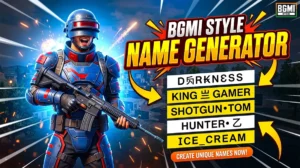
BGMI style name generator
BGMI Style Name Generator – Stylish Fonts, Symbols & Cool Tags Free Your BGMI name shows up everywhere…
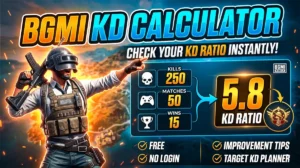
BGMI KD Calculator — Check Your KD Ratio Instantly
BGMI KD Calculator – Check Your KD Ratio Instantly Are you curious about your Kill/Death (KD) ratio in Battlegrounds Mobile…
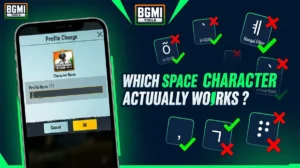
BGMI Invisible Name Copy Paste Tool — Blank Space Characters
About This BGMI Invisible Space Tool You’re here because you searched for a way to add blank spaces…