
Free BGMI Sensitivity Code Generator: No Recoil in 2026
Are you tired of copying the wrong pro player sensitivity and missing your sprays? Generic codes you find online probably don’t match your unique finger setup or device specs. Our BGMI Sensitivity Code Generator 2026 builds a custom sensitivity table just for you.
Simply tell the tool your playstyle, device DPI, and FPS, and it instantly calculates the ideal camera, ADS, and gyroscope sensitivity values for a zero-recoil feel. No more guesswork.
How to Use This BGMI Sensitivity Generator
Getting your personalized no-recoil settings is easy:
-
Choose Your Playstyle: Select between Aggressive, Balanced, Passive, or Competitive.
-
Set Your Device & FPS: Choose your phone’s DPI (High, Mid, Low) and your standard FPS cap.
-
Pick Finger Setup: Tell the tool if you play 2-finger thumb, 4-finger claw, or 5/6-finger.
-
Hit Generate: The tool provides a complete sensitivity breakdown for Camera, ADS, and Gyroscope, plus a unique shareable code for your friends. Test these values in the Training Ground and adjust ±3% to preference.
Why You Shouldn’t Copy Pro Codes Blindly
Using a copied BGMI sensitivity code is a trap . A code that works for an eSports pro on a high-end device with a 6-finger claw will likely ruin your aim on a budget phone. Your sensitivity depends on:
-
Your Device’s Refresh Rate: 60 FPS vs. 90 FPS needs different settings.
-
Touch Sampling & DPI: Android devices have a huge variance compared to the uniform screen of an iPad or iPhone.
-
HUD & Fingers: Thumb players need higher camera speed to make up for limited control, while full claw players can afford lower, more precise sensitivities.
Our generator accounts for all of this to find your best BGMI sensitivity settings, not someone else’s.
Best Camera, ADS, and Gyroscope Sensitivity Settings (Dynamic)
The table below will populate with your custom code. But for reference—if you prefer to manually adjust—here is how professional players typically balance their settings in 2026:
-
Camera Sensitivity (No Scope): TPP is usually between 90-120%, while FPP can be slightly lower for precision.
-
Camera Sensitivity (Scopes): The base rule is lower values for higher magnification. A 6x should never be as fast as your Red Dot. If your 4x spray shakes too much, reduce it by 5 points.
-
ADS Sensitivity: This controls your aim when the scope is open. Most pros set this slightly lower than camera speed for better mid-range control.
-
Gyroscope Sensitivity: This is the meta for zero recoil . Keep your no-scope gyro high (250-400%) for quick flicks, but scale down gradually for 4x and 6x to prevent jittery aim .
Frequently Asked Questions (FAQs)
What is a BGMI sensitivity code?
A sensitivity code is a string of numbers you can paste into BGMI’s “Cloud Management” or “Search Method” section. It automatically sets all Camera, ADS, and Gyroscope sensitivity values in the game, saving you from manual tweaking .
How can I get zero recoil in BGMI 2026?
True zero recoil doesn’t exist unless you use prohibited software, but the right sensitivity code gets you close. The goal is to counteract the gun’s vertical kick by balancing high gyroscope numbers with lower scope ADS speeds .
Is gyroscope better than non-gyroscope?
For pure recoil control, yes. The gyroscope allows for micro-adjustments that fingers alone can’t match on a touchscreen, making it essential for mastering the 6x M416 spray .
How do I install a sensitivity code?
Open BGMI, go to Settings > Sensitivity, hit “Cloud Management” (or Search Method), paste the code, preview the layout, and click Apply. Test it immediately in the Training Ground .
Which is the best sensitivity for a 4-finger claw setup?
Claw players benefit from slightly lower camera sensitivities combined with high ADS gyro values. Our tool calculates the perfect balance depending on whether you are on an aggressive rush or a passive support role.
BGMI Free Tools
Use BGMI Tools in free

BGMI style name generator
BGMI Style Name Generator – Stylish Fonts, Symbols & Cool Tags Free Your BGMI name shows up everywhere…
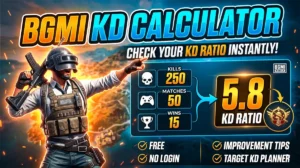
BGMI KD Calculator — Check Your KD Ratio Instantly
BGMI KD Calculator – Check Your KD Ratio Instantly Are you curious about your Kill/Death (KD) ratio in Battlegrounds Mobile…
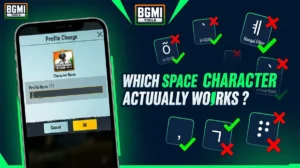
BGMI Invisible Name Copy Paste Tool — Blank Space Characters
About This BGMI Invisible Space Tool You’re here because you searched for a way to add blank spaces…

BGMI Symbols Copy Paste
Best BGMI Name Symbols (300+ Stylish & Unique Copy-Paste Characters) Want to make your BGMI profile stand out in the…