
BGMI 4.3 Update: Evolving Universe, M1 Garand & What Actually Changed in March 2026
You log in after the update finishes downloading at 7 AM. The lobby loads. Something’s different immediately—there’s a new prompt before you queue for ranked. “Choose Your Specialization.” Three icons. Sharpshooter. Medic. Vehicle Expert. Your squad is waiting. Nobody knows what to pick. You pick randomly. You lose the next three matches.
The BGMI 4.3 update dropped on March 19, 2026, and it’s not a minor patch. Krafton India introduced a Specialization System that forces every squad to think about composition for the first time in the game’s history. That’s the headline. But there’s also the M1 Garand rifle, Racing Tracks on Erangel, Smart Network Optimization for ping, and a UI overhaul that’s already dividing the community.
Here’s everything that actually matters for your ranked grind.
BGMI 4.3 Update Release Date: When Did It Drop?
Krafton India confirmed the official date: March 19, 2026. But India is a country of 1.4 billion people running on everything from 5G flagships to 3-year-old Redmi phones. One drop time would crash servers instantly. So Krafton staggered it.
Phased rollout schedule (IST):
| Platform | Release Time |
|---|---|
| Android (Google Play) — First batch | 6:30 AM IST |
| Android (Google Play) — Second batch | 9:30 AM IST |
| Android (Google Play) — Third batch | 11:30 AM IST |
| iOS (App Store) | 11:30 AM IST |
| Official website APK | 12:30 PM IST |
If your Play Store didn’t show the update at 6:30 AM, that’s not a bug. You were in a later batch. It rolled out progressively across regions and device types.
Storage requirement: At least 3-4 GB of free space before you start the download. The patch file is large, and if your phone runs out of space mid-install, the update corrupts and you’re reinstalling the entire game.
Pro Tip: Always update on Wi-Fi, never mobile data. The patch file is multiple GB. Burning through your daily data cap before noon is a terrible start to a ranked session.
The Evolving Universe Mode: BGMI’s Biggest Gameplay Shift Yet
This isn’t a cosmetic theme swap like Ancient Secret or Dragon’s Rise. The Evolving Universe mode introduces RPG mechanics into battle royale, and it’s the most significant gameplay system added to BGMI since the game launched.
The Specialization System
Before each match starts, you pick a role. Not a weapon. Not a loadout. A specialization that gives you passive abilities that grow stronger as you survive longer in the match.
Three roles confirmed:
| Role | Passive Ability | Gets Stronger When |
|---|---|---|
| Sharpshooter | Reduced long-range weapon sway, better scope stability | You land shots at 100m+ range |
| Medic | Faster revive speed, improved healing item efficiency | You revive teammates and use healing items |
| Vehicle Expert | Vehicle speed boost, damage resistance inside vehicles | You drive vehicles and survive crashes |
This system fundamentally changes squad composition. Running four Sharpshooters because everyone wants to be the fragger is a mistake. A balanced squad with one Medic, two Sharpshooters, and one Vehicle Expert will dominate mid-to-late game because the Medic keeps the squad alive through third parties, the Vehicle Expert rotates everyone safely through open ground, and the Sharpshooters win the actual gunfights.
The Medic role is being slept on. In squads with poor communication—which is most squads below Crown—the Medic’s faster revive speed is the difference between a full squad in the final circle and two players holding a compound alone. Don’t pick Medic if you’re the entry fragger. Do pick Medic if you’re the support player who already hangs back and prioritizes revives.
Common Mistake: Ignoring the specialization screen and picking randomly because your squad is waiting. Spend 10 seconds reading each role before your first ranked game. The wrong role for your playstyle bleeds RP for no reason.
Map Changes Under Evolving Universe
Hot drop locations on Erangel got revamped with new layouts, new roads, and new sightlines:
-
Mylta — Layout adjusted, new road connections to the east
-
Mansion — Interior reworked, fewer camp spots
-
Hospital — Rooftop access changed, new sightlines to the north
-
Pochinki — Minor adjustments, new road paths through town center
These aren’t minor cosmetic swaps. The new road layouts change rotation timing. If you knew the old Mylta perfectly—you knew every camping angle, every entry point—you need to relearn parts of it. The Hospital rooftop change alone shifts power dynamics in that entire quadrant of the map.
New Weapon: M1 Garand Enters the Ground Loot Pool
The M1 Garand is a semi-automatic rifle added to standard ground loot. It’s designed for mid-to-long range combat, but its most unusual feature is a pre-attached knife at the muzzle—yes, you can use it as a melee weapon at close range.
What we know about the M1 Garand:
-
Semi-automatic fire—fast fire rate for its class, rewards players with quick tapping fingers
-
Likely chambered in 7.62mm based on its real-world caliber
-
Sits between a DMR and a full sniper—think of it as a faster, closer-range Kar98 alternative
-
The muzzle knife is not just cosmetic—it functions as a genuine melee attack
Where it fits in the meta: If the M1 Garand has DMR-like range with a faster fire rate than the SKS, it challenges both the SKS and the Mini-14 for the mid-range precision slot. If the fire rate is slower than leaks suggest, it becomes a niche pick for players who like the Kar98 but want semi-auto follow-up shots.
Tactical Note: Test the M1 Garand in Training Grounds before betting RP on it. Two questions matter: How does it feel at 200m compared to the Mini-14? And does the melee knife actually connect reliably at 0 range, or is it just visual? Answer those before you pass up an SKS for a Garand in ranked.
Racing Tracks on Erangel: Fun, Useful, or a Death Trap?
Dedicated Racing Tracks have been added to Erangel under the Evolving Universe theme, complete with boost pads that accelerate vehicles and timed racing challenges that reward high-tier loot.
Here’s the honest assessment most guides won’t give you:
For casual players: Racing Tracks are genuinely fun. They’re a different rhythm from looting and fighting. If you play BGMI for entertainment, not rank, enjoy them.
For ranked players: Racing Tracks are a trap in the first two weeks. Everyone wants to try them. They’re loud—vehicles on boost pads broadcast your position across half the map. They funnel squads into predictable paths. And the loot reward, while decent, isn’t worth dying for.
The smart play: Either hit the track early to grab loot fast and rotate out before the third parties arrive, or avoid it completely and let the traffic clear while you loot safer compounds. Never third-party someone ON a track—vehicles are fast, you’ll miss your shots, and they’ll rotate to safety while you’re exposed.
Pro Tip: If you’re the Vehicle Expert in your squad, the Racing Track boost pads stack with your passive ability. Your vehicle becomes significantly faster than anyone else’s. Use this for rapid rotations, not for racing.
Smart Network Optimization: Does the Ping Fix Actually Work?
BGMI 4.3 introduced Smart Network Optimization, a system that automatically adjusts your network settings during matches to reduce lag spikes. Krafton specifically targeted Indian mobile data inconsistency—Jio and Airtel ping that’s stable for 10 minutes then suddenly spikes when the tower gets congested.
What it does: In the background, Smart Network Optimization monitors your connection quality and adjusts packet routing when it detects instability. It’s most effective during intense fights when multiple enemies, grenades, and vehicles are all generating network traffic simultaneously.
What it doesn’t do: It won’t fix a fundamentally bad ISP. If you’re consistently above 100ms ping, the problem is your connection infrastructure—not the game’s network handling. Smart Network Optimization helps players who have decent data but experience random spikes. It’s a stabilizer, not a miracle worker.
Reality check: After installing 4.3, check your ping in the first match. If it’s lower and more stable than pre-update, the optimization is working for your specific network setup. If nothing changes, you’re likely limited by your ISP’s routing or your home Wi-Fi hardware. In that case, check out our BGMI Ping Optimizer Guide for manual DNS and server selection fixes.
UI Redesign: Cleaner But Divisive
The Settings menu got a visual overhaul—simplified layout, adjusted color scheme, less visual clutter. Player profile display, item showcase, and menu arrangement were updated.
Then the community complained about contrast issues. On March 15, four days before the full launch, Krafton pushed an 18MB pre-patch that reverted some settings to a darker theme.
Honest take: UI changes are always polarizing in any game. Give it 3-5 sessions before deciding you hate it. The actual gameplay buttons haven’t moved—your muscle memory for firing, peeking, and crouching is fine.
Ancient Secret Returns: Evolved, Not Retired
Despite “Evolving Universe” being branded as a new theme, Ancient Secret elements return in evolved form. The update layers the new RPG Specialization mechanics on top of the existing pharaoh/exploration theme, creating a hybrid experience.
What carries over from Ancient Secret:
-
Floating Thruster — Attaches to vehicles for a speed boost
-
Protection Shield — Blocks bullets and throwables for 5-10 seconds
The Protection Shield is the item most players will abuse in early weeks. A 5-10 second bullet block is enormous—it’s a free rush opportunity or a zone-rotation tool. Learn where it spawns and prioritize picking it up in themed mode. A squad with a Protection Shield and a Medic has a massive advantage in the final circle.
What BGMI 4.3 Means for Ranked Players: The Week-by-Week Breakdown
Week 1 (Patch Day to Day 7): Chaos.
Everyone is learning Specializations. Everyone wants to try the M1 Garand. Everyone’s driving on Racing Tracks. Ranked is unpredictable. Hot drops are even hotter than usual because players want to test the new map layouts. Lower your RP expectations for the first week. Play to learn, not to climb.
Week 2 (Day 8-14): Meta emerges.
The best Specialization combos become known. The M1 Garand’s actual value is clear—either it’s meta or it’s niche. Racing Tracks are either being used efficiently by smart squads or abandoned entirely. This is when you start climbing again.
Week 3-4 (Day 15-30): Skilled players exploit.
The players who adapt fastest are already climbing. The Specialization system rewards survival, so passive play is more viable than ever. Medic + Vehicle Expert squads that prioritize rotation and survival over kills are placing top 3 consistently.
Pro Tip: Do NOT jump into ranked on patch day. Play 2-3 unranked games first. Learn the Specialization feel, test the M1 Garand, check the Racing Track locations. Enter ranked with information advantage.
How to Download BGMI 4.3 Update Safely
-
Android: Google Play Store—search BGMI, tap Update
-
iOS: Apple App Store—search BGMI, tap Update
-
APK backup: Only from the official BGMI website, only if Play Store fails
-
Storage: Free at least 4GB before starting
-
Connection: Wi-Fi strongly preferred
-
If the update fails mid-way: Clear Play Store cache, retry. If it still fails, restart your device, then retry
-
Never download from third-party APK sites—security risk, potentially outdated or modified files
Frequently Asked Questions
When did the BGMI 4.3 update release?
The BGMI 4.3 update officially released on March 19, 2026. Android users got it from 6:30 AM IST in a phased rollout. iOS users got it at 11:30 AM IST.
What is the Evolving Universe mode in BGMI 4.3?
Evolving Universe is the themed mode in BGMI 4.3. Its main feature is the Specialization System—before each match, players choose a role (Sharpshooter, Medic, or Vehicle Expert) that gives them unique passive abilities that strengthen throughout the match.
What are the Specialization roles in BGMI 4.3?
Three roles: Sharpshooter (long-range aim improvement and reduced scope sway), Medic (faster revives and healing item efficiency), and Vehicle Expert (vehicle speed boost and damage resistance inside vehicles). Each levels up as the match progresses.
What is the M1 Garand in BGMI 4.3?
The M1 Garand is a semi-automatic rifle added to ground loot in BGMI 4.3. It has a fast fire rate for its class and comes with a knife attached to the muzzle for melee use at close range. It sits between a DMR and a full sniper.
Does BGMI 4.3 fix lag and ping?
Yes, BGMI 4.3 introduces Smart Network Optimization which automatically adjusts connection settings during matches to reduce lag spikes. It helps players with inconsistent mobile data but won’t fix fundamentally poor internet connections.
What maps changed in BGMI 4.3?
Erangel received changes under the Evolving Universe theme. Hot drop locations including Mylta, Mansion, Hospital, and Pochinki were revamped with new road layouts. Racing Tracks were also added to Erangel.
Is the BGMI 4.3 update free to download?
Yes. The update is completely free. Download it from Google Play Store or Apple App Store. You need at least 3-4 GB of free storage before downloading.
What Specialization should I pick in BGMI 4.3?
It depends on your role. If you’re the entry fragger, pick Sharpshooter. If you’re the support player who prioritizes revives, pick Medic—it’s underrated and very powerful. If your squad rotates a lot or plays vehicle-heavy, pick Vehicle Expert. Avoid running all the same specialization.
BGMI style name generator
BGMI Style Name Generator – Stylish Fonts, Symbols & Cool Tags Free Your BGMI name shows up everywhere…
BGMI KD Calculator — Check Your KD Ratio Instantly
BGMI KD Calculator – Check Your KD Ratio Instantly Are you curious about your Kill/Death (KD) ratio in Battlegrounds Mobile…
BGMI Invisible Name Copy Paste Tool — Blank Space Characters
About This BGMI Invisible Space Tool You’re here because you searched for a way to add blank spaces…
BGMI Symbols Copy Paste
Best BGMI Name Symbols (300+ Stylish & Unique Copy-Paste Characters) Want to make your BGMI profile stand out in the…
BGMI Sensitivity Code Generator
Free BGMI Sensitivity Code Generator: No Recoil in 2026 Are you tired of copying the wrong pro player…

BGMI Account Value Estimator – Check Account Price
💰 How Much Is Your BGMI Account Worth in 2026? If
Related BGMI Tools & Guides
-
BGMI Sensitivity Code Generator — The 4.3 update may have shifted spray feel slightly. Recalibrate your sensitivity before ranked.
-
BGMI Redeem Codes Today — Check for new redeem codes that dropped alongside the 4.3 update.
-
BGMI KD Calculator — Track whether your new Specialization is actually improving your KD.
-
BGMI Rank List — See where the A18 season rank thresholds sit in relation to the 4.3 patch.
-
Best Phones for BGMI Under 15000 — The 4.3 update may demand more from your phone. Make sure your hardware can handle it.
-
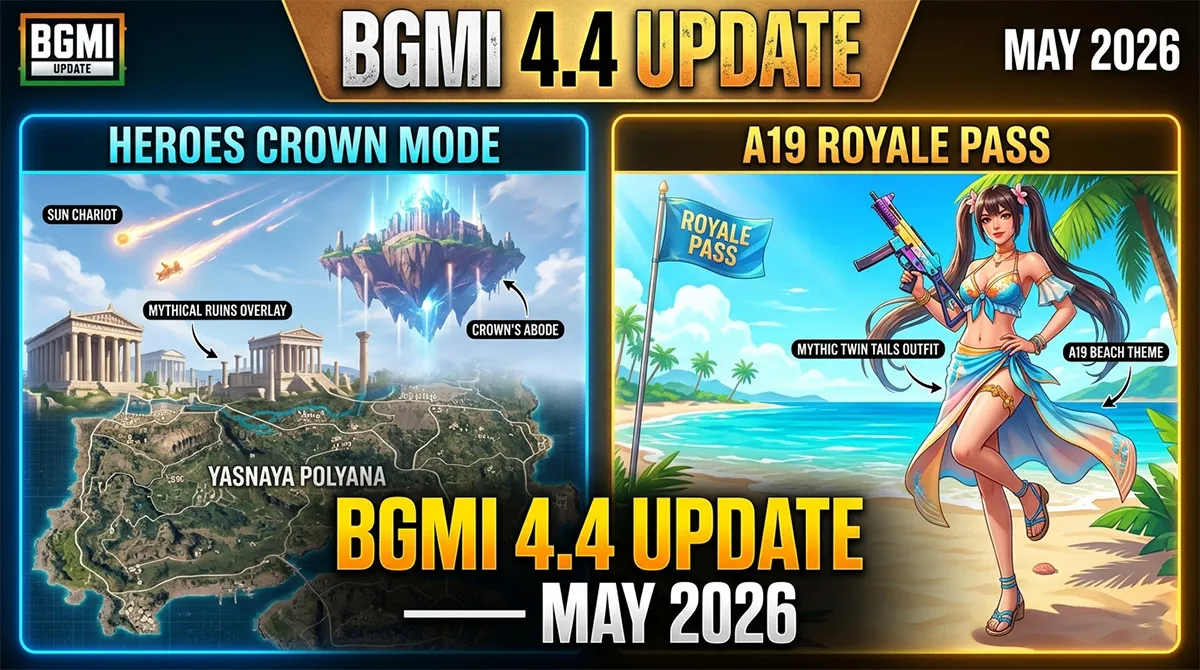
BGMI 4.4 Update Preview — 4.3 is live. 4.4 is coming in May. Here’s what’s next.