

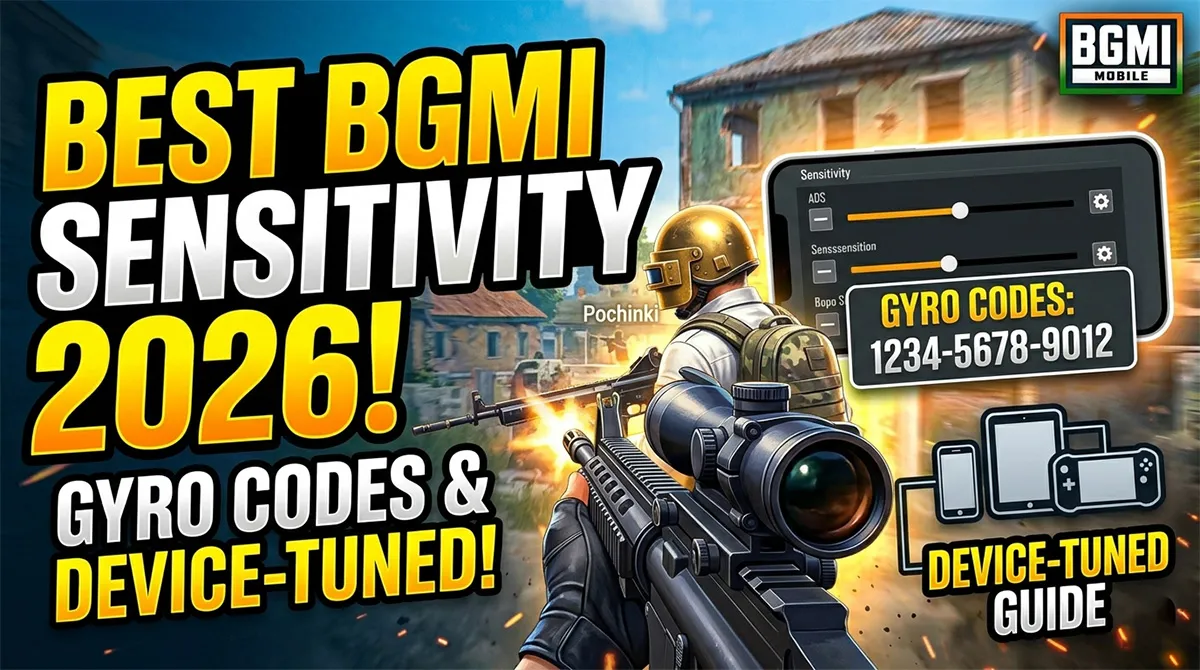
Best BGMI Sensitivity Settings 2026 Codes, Gyro Setup & Device-Specific Tuning That Actually Works
You just copied a pro player’s sensitivity code. You loaded into a match expecting zero recoil. Instead, your M416 spray looked like you were firing from a moving bus.
Here’s what every sensitivity guide gets wrong: there is no universal “best” code. The 19-digit string that gives Jonathan laser-accurate sprays on his flagship phone can feel sluggish or uncontrollable on your device. Screen size, refresh rate, gyroscope hardware quality, and even your finger layout all change what “best” means .
This guide is different. Yes, you’ll get tested sensitivity codes you can paste immediately. But more importantly, you’ll learn which code matches your phone and playstyle, and how to tune it in 15 minutes so it actually works when you’re fighting for rank points.
Let’s fix your aim.
What BGMI Sensitivity Codes Actually Control
Before copying any code, you need to understand what you’re changing. A sensitivity code is a 19-digit importable string that stores all your Camera, ADS, and Gyroscope values. Paste it, and someone else’s entire aim setup loads onto your account .
But that code controls three completely different systems that interact every time you fire your weapon :
| Sensitivity System | What It Controls | When It’s Active |
|---|---|---|
| Camera Sensitivity | How fast your screen moves when swiping | Looking around, scanning, pre-aim alignment |
| ADS Sensitivity | Recoil correction while firing | Only when holding the fire button |
| Gyroscope Sensitivity | Physical tilt-to-aim control | Constantly (if “Always On”) or only when ADS |
Common Mistake: Players think camera sensitivity affects recoil. It doesn’t. If your spray feels shaky, lowering camera sensitivity does nothing — you need to adjust ADS or gyro values .
A sensitivity code bundles all three systems into one importable string. Understanding the difference between them is the difference between guessing and actually fixing your aim.
Quick Note: A sensitivity code changes how fast your crosshair moves. It does not change recoil physics. Any site claiming a code gives “instant zero recoil” or “auto headshot” is misleading you .
How Your Phone Changes What “Best” Means
This is the section that competitor guides skip entirely. Sensitivity is not universal because BGMI’s input response is directly shaped by your phone’s hardware. A code that feels perfect on an iPhone 15 Pro Max with 120Hz display can feel uncontrollable on a Redmi with 60Hz .
Screen Size: Bigger Displays Need Lower Values
Larger screens physically amplify movement. On a 6.7-inch display, the same thumb swipe moves your crosshair further than on a 6.1-inch screen. This means higher sensitivity values feel faster and more aggressive on bigger phones .
The rule: If you play on a large phone (6.5+ inches), start with sensitivity values 5-10% lower than recommended defaults. Smaller phones can handle higher values without losing precision.
FPS Stability: The Invisible Factor
Sensitivity behaves differently at 40 FPS versus a stable 60 or 90 FPS. At lower frame rates, BGMI processes input in larger, less frequent chunks, making aim feel jumpy even at moderate sensitivity .
What this means for you:
-
Budget devices (30-40 FPS): Lower camera and ADS sensitivity reduces the impact of frame drops. High sensitivity on low FPS creates overcorrection and shaky tracking.
-
Mid-range devices (stable 60 FPS): Balanced sensitivity works well. Focus on ADS and gyro calibration.
-
Flagship devices (90-120 FPS): You can separate roles cleanly — higher camera for fast scanning, controlled ADS for sprays, gyro for fine recoil correction .
Gyroscope Hardware: Not All Gyros Are Equal
Gyroscope sensors vary massively between phone models. Flagship devices have high-sampling-rate gyros that detect subtle movement accurately. Budget phones often have noisier sensors that introduce micro-jitter at higher sensitivities .
If your aim feels unstable with steady hands on a budget phone, the issue is hardware, not skill. Reduce gyro sensitivity and let ADS handle more recoil control.
Touch Sampling Rate: Why Swipes Feel Different
Phones with 240Hz or higher touch sampling make camera movement feel more responsive at the same sensitivity value. On high touch sampling devices, slightly lower camera sensitivity prevents over-flicking. On older phones, camera sensitivity may need to be slightly higher to compensate for delayed input .
Pro Tip: Lock your graphics and FPS settings before tuning sensitivity. Changing them later invalidates your calibration because input response shifts with performance .
Best BGMI Sensitivity Codes for 2026
These codes are community-tested as working in early-to-mid 2026. Remember: codes are cloud-linked to the original creator’s account. They can reset or expire if the creator updates their layout, so save a screenshot of your settings before importing anything .
Gyroscope Codes (Best for Tilt Control Players)
| Code | Best For | Works Great On |
|---|---|---|
| 7307-1085-6780-4282-435 | Balanced all-round spray | M416, SCAR-L, mid-range |
| 7238-4245-4286-7096-036 | Long-range control | 6x sprays, AKM |
| 1-7527-1413-2691-7206-969 | Budget Android phones | Smooth, low shake, stable on low-end |
| 7238-4924-1948-2049-112 | Smooth 6x M416 | Aggressive tracking, high scopes |
| 1-7571-6981-9834-2795-805 | 4-finger claw players | High control, tight sprays |
| 7238-4185-8644-7904-942 | Aggressive gameplay | Budget-friendly, fast spray style |
Non-Gyroscope Codes (For Thumb-Only Players)
| Code | Best For | Works Great On |
|---|---|---|
| 6983-8762-7023-5848-120 | Beginners, reduced vertical recoil | All ARs, stable close-range |
| 1-7571-6708-4489-3563-702 | Close-range fights | Stable on most Android devices |
| 7238-4245-4286-7096-036 | Smooth ADS control | Mid-range, versatile |
Recommended starting points:
-
Gyro players on mid-to-high-end devices: Start with
7307-1085-6780-4282-435 -
Non-gyro players or budget Android: Start with
6983-8762-7023-5848-120
Manual Sensitivity Reference (If You Prefer Dialing Values)
If you want to set values yourself rather than importing a code, these are the baseline ranges competitive players commonly use :
Camera Sensitivity:
-
TPP No Scope: 130-150%
-
FPP No Scope: 120-135%
-
Red Dot / Holo: 65-80%
-
2x Scope: 50-60%
-
3x Scope: 35-45%
-
4x Scope: 25-35%
-
6x Scope: 8-14%
-
8x Scope: 8-12%
ADS Sensitivity:
-
TPP No Scope: 100-115%
-
FPP No Scope: 95-105%
-
Red Dot: 55-65%
-
2x Scope: 45-55%
-
3x Scope: 22-30%
-
4x Scope: 16-22%
-
6x Scope: 18-22%
-
8x Scope: 14-18%
Gyroscope Sensitivity:
-
TPP/FPP No Scope: 350-400%
-
Red Dot / Holo: 350-400%
-
2x Scope: 350-400%
-
3x/4x Scope: 320-350%
-
6x Scope: 120-140%
-
8x Scope: 80-100%
These are starting points. Every phone processes these values differently. The training ground is where you’ll find your real numbers .
Gyro vs Non-Gyro: Which Should You Choose?
The single biggest decision in your sensitivity setup is whether to use gyroscope. Here’s the honest breakdown :
| Feature | Gyroscope | Non-Gyroscope |
|---|---|---|
| Recoil Control | Excellent (tilt to correct) | Good (ADS and thumb drag only) |
| Device Requirement | Mid-range or higher recommended | Works on any device |
| Learning Curve | Steep (2-4 weeks to feel natural) | Low (familiar thumb control) |
| Best Finger Layout | 3-finger or 4-finger claw | 2-finger thumb |
| Long-Range Accuracy | Better for 4x/6x sprays | Better for short-mid range |
Gyroscope gives superior recoil control because small wrist movements are more accurate than finger swipes . Competitive players overwhelmingly use it. But if your phone has a weak gyro sensor or you play thumbs-only, non-gyro with properly calibrated ADS will serve you well.
Budget Phone Strategy: Full gyro can feel floaty on 60Hz devices. For budget phones, use scope-on gyro — gyroscope activates only when you ADS. This gives you the benefit of tilt control where it matters without making your general movement feel unstable .
Match Your Sensitivity to Your Finger Layout
This is a table you won’t find on any competing guide. Your finger count fundamentally changes what sensitivity settings feel right :
| Finger Setup | Recommended Code | ADS Feel | Best For |
|---|---|---|---|
| 2-Thumb (Beginner) | 6983-8762-7023-5848-120 | Medium-High | Learning spray patterns |
| 3-Finger (Standard) | 7128-4471-2299-3401 | Balanced | Ranked pushes, versatile |
| 4-Finger Claw | 1-7571-6981-9834-2795-805 | Lower ADS, higher gyro | Aggressive close-mid range |
| 4-Finger + Full Gyro | 7128-7740-6188-9902 | Low ADS, medium gyro | High-level competitive |
| 6x/8x Sniper Setup | 7128-6112-0833-4410 | Very low scope ADS | Squad wipe from range |
The key principle: more fingers = more control = lower ADS sensitivity needed. If you’re adding fingers to your layout, drop ADS sensitivity by 15-20% compared to what a 2-thumb player uses. Your extra fingers already give you the speed .
How to Import a Sensitivity Code in BGMI
Importing takes under 60 seconds :
-
Open BGMI and tap the arrow icon near your profile (top right)
-
Go to Settings → Sensitivity tab
-
Scroll down and tap Layout Management or Cloud Management
-
Select Search Method
-
Paste the full 19-digit sensitivity code
-
Tap Search to preview
-
Press Apply to save
-
Important: Tap Upload to Cloud to back up your previous settings first
Pro Tip: Always screenshot your current settings before importing something new. Cloud codes can reset or expire if the original creator updates their layout .
The 15-Minute Training Ground Tuning Method
No code is perfect out of the box. Here’s how to tune yours in three tests :
Test 1: The 180-Degree Turn (Camera Sensitivity)
-
Stand in the Training Ground center
-
Swipe your thumb to turn exactly 180° behind you
-
Too little turn? Increase TPP No Scope camera sensitivity by 5-10%
-
Too much turn? Decrease it
Test 2: The Red Dot Trace (ADS Sensitivity)
-
Equip an M416 with Red Dot
-
Aim at moving targets while holding full auto
-
Keep your crosshair on target
-
Aim goes up? Increase ADS sensitivity slightly
-
Aim shakes left/right? Decrease it
Test 3: M416 + 3x Scope (Gyroscope)
-
This is the most-played combo in BGMI
-
Set 3x gyroscope to 250% as baseline
-
Spray at a 100-meter target
-
Adjust by +5% or -5% until the gun stops shaking
-
Fine-tune further in 2-3% increments
The golden rule: Small changes matter more than big jumps. Adjust one scope at a time by 2-5%, test, then adjust again. Changing everything at once leaves you with no idea what fixed or broke .
Frequently Asked Questions
What is the best sensitivity code for BGMI in 2026?
There’s no universal “best” code because devices behave differently. The most widely recommended gyro code is 7307-1085-6780-4282-435, and the top non-gyro option is 6983-8762-7023-5848-120. Use these as starting points and tune in Training Ground .
Is gyroscope better than non-gyro for BGMI?
Gyroscope provides superior recoil control through physical tilt, which is why most competitive and Conqueror-tier players use it. However, the learning curve is steep (2-4 weeks), and budget phone gyro sensors may introduce jitter at high sensitivities .
How do I copy a BGMI sensitivity code?
Go to Settings → Sensitivity → Layout Management → Search Method. Paste the 19-digit code, tap Search, preview it, and press Apply. Always upload your current settings to cloud first as backup .
Why does my aim still shake after copying a pro’s code?
Your phone’s screen size, FPS stability, gyro hardware quality, and touch sampling rate all differ from the pro’s device. The code is a starting point — you must tune it to your hardware using the Training Ground method described above .
Can I use the same sensitivity for all scopes?
No. Each scope magnification level requires different sensitivity values because zoom changes how fast your aim moves across the screen. A comfortable Red Dot setting will feel wrong on a 6x scope .
What’s the difference between camera and ADS sensitivity?
Camera sensitivity controls how fast your screen moves when swiping (looking around). ADS sensitivity only activates when you press the fire button and controls recoil behavior. They are completely separate systems — lowering camera sensitivity won’t fix recoil problems .
Do BGMI sensitivity codes expire?
Yes. Codes are cloud-linked to the original creator’s account. If the creator updates or deletes their layout, the code may reset or become invalid. Always screenshot your tuned settings to avoid losing them .
How often should I change my sensitivity?
Not often. Find a working baseline, fine-tune it in Training Ground, then stick with it. Muscle memory takes weeks to build. Constantly changing sensitivity prevents you from developing consistent aim .
Stop Chasing Codes, Start Building Muscle Memory
The real secret to BGMI aim isn’t a magic code. It’s understanding what each slider does, matching values to your phone’s hardware, and then practicing consistently enough that your hands remember what your brain no longer needs to think about.
Pick one code that matches your device and finger layout. Head to Training Ground for 15 minutes. Run the three tests. Make small adjustments. Then close settings and don’t open them again for at least two weeks.
That’s how you go from copy-pasting codes to actually controlling your spray.
Already tested these settings? Drop which code worked best for your device in the comments — it helps other players find the right starting point faster.
BGMI style name generator
BGMI Style Name Generator – Stylish Fonts, Symbols & Cool Tags Free Your BGMI name shows up everywhere…
BGMI KD Calculator — Check Your KD Ratio Instantly
BGMI KD Calculator – Check Your KD Ratio Instantly Are you curious about your Kill/Death (KD) ratio in Battlegrounds Mobile…
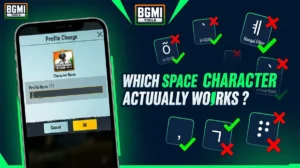
BGMI Invisible Name Copy Paste Tool — Blank Space Characters
About This BGMI Invisible Space Tool You’re here because you searched for a way to add blank spaces…

BGMI Symbols Copy Paste
Best BGMI Name Symbols (300+ Stylish & Unique Copy-Paste Characters) Want to make your BGMI profile stand out in the…
BGMI Sensitivity Code Generator
Free BGMI Sensitivity Code Generator: No Recoil in 2026 Are you tired of copying the wrong pro player…