
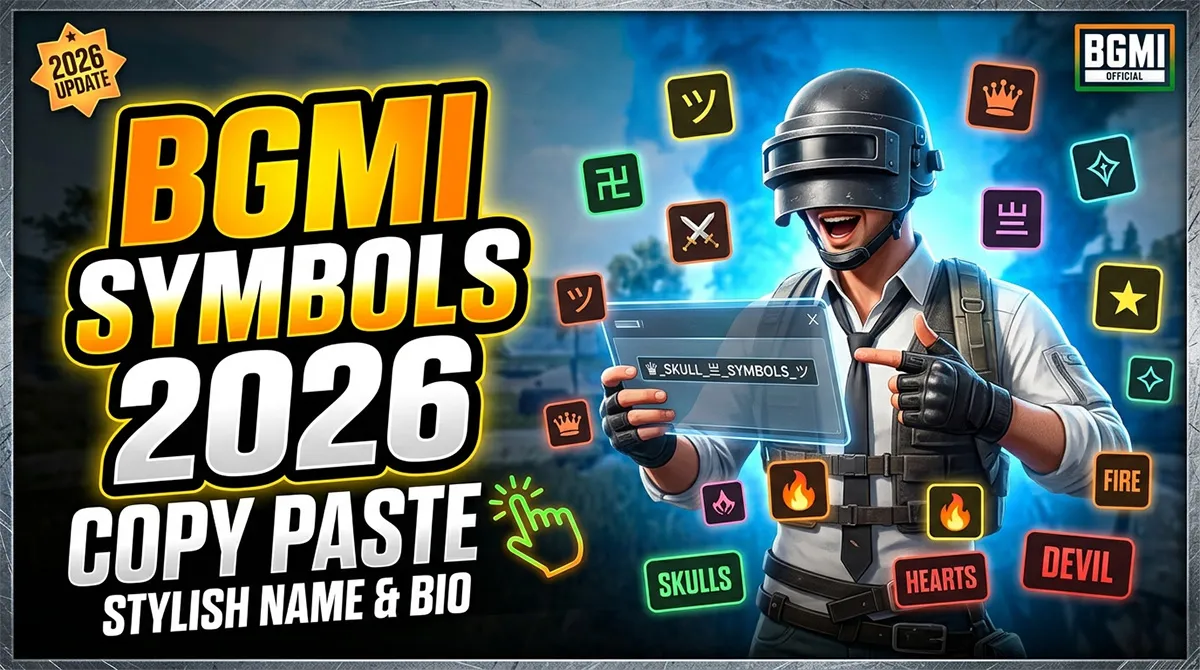
BGMI Symbols Copy & Paste Library 2026 500+ Verified Icons, Crowns, Swords & Stylish Name Decorators
You just typed ♛ into your BGMI name. It showed up as □.
That little white square is the reason this page exists. BGMI’s name filter isn’t transparent about which symbols it accepts. Some Unicode characters render perfectly. Others — including ones that work fine in Free Fire or CODM — get rejected, replaced with blank boxes, or trigger the profanity filter when paired with certain text.
This library is different. Every symbol listed below has been verified to render in BGMI’s in-game name field as of the 4.4 update (May 2026). If it’s on this page, it works. One tap copies it. Paste it into BGMI. No blank squares. No filter rejections.
And if you want to see exactly how your full name looks before committing the rename card, use our BGMI Name Generator tool at the bottom of this page.
Quick Jump: Pick Your Symbol Category
-
Crown & Royal Symbols
-
Sword & Weapon Symbols
-
Star & Sparkle Symbols
-
Wing & Bird Symbols
-
Lightning & Energy Symbols
-
Heart & Love Symbols
-
Skull & Danger Symbols
-
Music & Note Symbols
-
Arrow & Direction Symbols
-
Currency & Special Marks
-
Flower & Nature Symbols
-
Box & Border Symbols (Name Frames)
-
Chinese, Japanese & Arabic Decorators
-
Rare BGMI-Exclusive Decorators
-
Pre-Made Stylish Name Templates
Crown & Royal Symbols
These are the most-used symbols in BGMI. Crowns signal status — clan leaders, Conqueror-tier players, and content creators use them as visual rank badges.
| Symbol | Name | One-Click Copy |
|---|---|---|
| ♛ | Black Crown | ♛ |
| ♚ | White Crown | ♚ |
| ♔ | Light Crown | ♔ |
| ♕ | Dark Crown | ♕ |
| 👑 | Crown Emoji | 👑 |
| ⚜ | Fleur-de-lis | ⚜ |
| 亗 | Royal Mark (Japanese) | 亗 |
| 〄 | Imperial Seal | 〄 |
| ࿊ | Royal Pattern | ࿊ |
| ࿋ | Crown Pattern | ࿋ |
| ࿌ | Royal Mark 2 | ࿌ |
| ࿎ | Royal Mark 3 | ࿎ |
Pro Tip: ♛ and 亗 are the two most reliable royal symbols in BGMI. They render on both Android and iOS without issues. ♔ and ♕ occasionally show as slightly different sizes depending on your device’s system font — test before committing a rename card.
Sword & Weapon Symbols
Swords crossed with your IGN suggest you’re not here for friendly banter. These pair well with aggressive playstyle names.
| Symbol | Name | One-Click Copy |
|---|---|---|
| ⚔ | Crossed Swords | ⚔ |
| ⚒ | Crossed Hammers | ⚒ |
| 🗡 | Dagger | 🗡 |
| ⚔️ | Crossed Swords (Emoji) | ⚔️ |
| 🗡️ | Dagger (Emoji Var) | 🗡️ |
| ⚔️ | Dual Blades | ⚔️ |
| 𒆜 | Ancient Blade | 𒆜 |
| 𒆛 | War Axe | 𒆛 |
| 𒆤 | Battle Mark | 𒆤 |
Common styling: ⚔️ IGN ⚔️ — the most popular weapon layout in BGMI. Works for solo and squad names equally well.
Star & Sparkle Symbols
Stars are universal. They work in clan tags, solo IGNs, and as spacers between words. The 6-point star (✶) is particularly reliable in BGMI.
| Symbol | Name | One-Click Copy |
|---|---|---|
| ★ | Black Star | ★ |
| ☆ | White Star | ☆ |
| ✪ | Circled White Star | ✪ |
| ✯ | Pinwheel Star | ✯ |
| ✶ | 6-Point Black Star | ✶ |
| ✧ | White 4-Point Star | ✧ |
| ✨ | Sparkles | ✨ |
| ⚡ | Lightning Bolt | ⚡ |
| ⭐ | Star Emoji | ⭐ |
| 🌟 | Glowing Star | 🌟 |
| 💫 | Dizzy Star | 💫 |
| ⁂ | Asterism | ⁂ |
| ⁑ | Double Asterisk | ⁑ |
| ⊹ | Dotted Star | ⊹ |
Popular combo: ★ IGN ★ — clean, symmetrical, renders on every device.
Wing & Bird Symbols
Wings suggest speed, freedom, or “flying” through ranked tiers. These symbols are widely used by players with movement-heavy playstyles.
| Symbol | Name | One-Click Copy |
|---|---|---|
| ࿐ | Flying Wing | ࿐ |
| ༒ | Trident Wing | ༒ |
| ༺ | Left Wing | ༺ |
| ༻ | Right Wing | ༻ |
| ༺❁༻ | Winged Flower | ༺❁༻ |
| ʚ | Small Left Wing | ʚ |
| ɞ | Small Right Wing | ɞ |
| ʚɞ | Wing Set | ʚɞ |
| ☁ | Cloud | ☁ |
| ꧁ | Left Decor Wing | ꧁ |
| ꧂ | Right Decor Wing | ꧂ |
Important: ꧁ and ꧂ are the two most important decorators in this entire library. They form the brackets around nearly every stylish BGMI name. If you memorize nothing else, copy these two. They pair as ꧁ IGN ꧂.
Lightning & Energy Symbols
Speed. Power. Electric plays. Lightning symbols pair with aggressive IGNs and are often used by entry fraggers.
| Symbol | Name | One-Click Copy |
|---|---|---|
| ⚡ | High Voltage | ⚡ |
| ⚡️ | Lightning (Emoji) | ⚡️ |
| ϟ | Greek Lightning | ϟ |
| ϟϟ | Double Lightning | ϟϟ |
| ⍟ | Energy Burst | ⍟ |
| ⍣ | Energy Star | ⍣ |
| ⌁ | Electric Arc | ⌁ |
| ⌁⌁ | Double Arc | ⌁⌁ |
| ⚯ | Energy Ring | ⚯ |
Heart & Love Symbols
Hearts aren’t just for couple names. They’re widely used by support players, clan tags, and content creators building approachable brands.
| Symbol | Name | One-Click Copy |
|---|---|---|
| ♡ | White Heart | ♡ |
| ♥ | Black Heart | ♥ |
| ❤ | Red Heart | ❤ |
| ❥ | Rotated Heart | ❥ |
| ❣ | Heavy Heart Exclamation | ❣ |
| ༺♥༻ | Winged Heart | ༺♥༻ |
| ❦ | Floral Heart | ❦ |
| ඞ | Love Curl | ඞ |
| ღ | Georgian Heart | ღ |
Skull & Danger Symbols
For the players who want their IGN to say “don’t push my compound.” Skulls are the second-most popular icon category after crowns.
| Symbol | Name | One-Click Copy |
|---|---|---|
| ☠ | Skull & Crossbones | ☠ |
| ☠️ | Skull (Emoji) | ☠️ |
| 💀 | Skull Emoji | 💀 |
| ⛧ | Danger Symbol | ⛧ |
| ⚰ | Coffin | ⚰ |
| 𒀱 | Death Mark | 𒀱 |
| 𒀲 | Skull Mark | 𒀲 |
| 𒀳 | Grave Mark | 𒀳 |
Style note: ☠ works at smaller font sizes than 💀 in the in-game name display. If your name is long, use ☠. If it’s short, 💀 has more visual impact.
Music & Note Symbols
Popular with streamers and players who name themselves after songs or artists. Also common in clan tags for entertainment-focused squads.
| Symbol | Name | One-Click Copy |
|---|---|---|
| ♪ | Eighth Note | ♪ |
| ♫ | Beamed Notes | ♫ |
| ♬ | Beamed 16th Notes | ♬ |
| ♩ | Quarter Note | ♩ |
| ♭ | Flat Sign | ♭ |
| ♮ | Natural Sign | ♮ |
| ♯ | Sharp Sign | ♯ |
| 🎵 | Musical Note | 🎵 |
| 🎶 | Multiple Notes | 🎶 |
Arrow & Direction Symbols
Used as spacers and directional accents. The triangle arrows (▶ ◀ ▲ ▼) render reliably on all BGMI-compatible devices.
| Symbol | Name | One-Click Copy |
|---|---|---|
| ► | Right Arrow | ► |
| ◄ | Left Arrow | ◄ |
| ▲ | Up Arrow | ▲ |
| ▼ | Down Arrow | ▼ |
| ▶ | Play Arrow | ▶ |
| ◀ | Back Arrow | ◀ |
| « | Double Left | « |
| » | Double Right | » |
| → | Right Pointer | → |
| ← | Left Pointer | ← |
| ⇄ | Dual Arrow | ⇄ |
Currency & Special Marks
Currency symbols add a premium or “high-value” feel to IGNs. The yen symbol (¥) and Indian rupee sign (₹) are especially popular in the BGMI community.
| Symbol | Name | One-Click Copy |
|---|---|---|
| $ | Dollar | $ |
| € | Euro | € |
| ¥ | Yen / Yuan | ¥ |
| £ | Pound | £ |
| ₹ | Indian Rupee | ₹ |
| © | Copyright | © |
| ® | Registered | ® |
| ™ | Trademark | ™ |
| № | Number Sign | № |
Flower & Nature Symbols
Soft aesthetics for support players, couple IGNs, and players who prefer elegance over aggression.
| Symbol | Name | One-Click Copy |
|---|---|---|
| ✿ | Black Florette | ✿ |
| ❀ | White Florette | ❀ |
| ✾ | 6-Petal Flower | ✾ |
| ❁ | 8-Petal Flower | ❁ |
| ❃ | Heavy Florette | ❃ |
| ❋ | 8-Point Florette | ❋ |
| 𑁍 | Lotus | 𑁍 |
| ❦ | Floral Heart | ❦ |
| ☘ | Shamrock | ☘ |
| 🌸 | Cherry Blossom | 🌸 |
| 🌺 | Hibiscus | 🌺 |
Box & Border Symbols (Name Frames)
These create frames around your full name. The most popular layout in BGMI: ꧁ IGN ꧂. The ꧁____꧂ bracket pair is the most-used name frame in the entire game.
| Symbol | Name | One-Click Copy |
|---|---|---|
| ꧁ | Left Decor Bracket | ꧁ |
| ꧂ | Right Decor Bracket | ꧂ |
| ༺ | Left Wing Bracket | ༺ |
| ༻ | Right Wing Bracket | ༻ |
| 【 | Left Black Bracket | 【 |
| 】 | Right Black Bracket | 】 |
| 「 | Left Corner Bracket | 「 |
| 」 | Right Corner Bracket | 」 |
| 『 | Left White Bracket | 『 |
| 』 | Right White Bracket | 』 |
| 〚 | Left Double Bracket | 〚 |
| 〛 | Right Double Bracket | 〛 |
| ⸨ | Left Parenthesis | ⸨ |
| ⸩ | Right Parenthesis | ⸩ |
| ︻ | Heavy Left Frame | ︻ |
| ︼ | Heavy Right Frame | ︼ |
Frame combinations that work in BGMI:
| Style | Code | Copy |
|---|---|---|
| Classic Decor | ꧁ IGN ꧂ |
꧁____꧂ |
| Wing Frame | ༺ IGN ༻ |
༺____༻ |
| Bold Frame | 【 IGN 】 |
【____】 |
| Corner Frame | 「 IGN 」 |
「____」 |
| Double Line | 〚 IGN 〛 |
〚____〛 |
| Heavy Frame | ︻ IGN ︼ |
︻____︼ |
Chinese, Japanese & Arabic Decorators
These characters add an exotic visual element that stands out in kill feeds. They’re widely used by clans and competitive players.
| Symbol | Name | One-Click Copy |
|---|---|---|
| 亗 | Royal Mark | 亗 |
| 么 | Mystic Mark | 么 |
| 卐 | Sacred Symbol | 卐 |
| 彡 | Brush Stroke | 彡 |
| 气 | Energy | 气 |
| メ | Katakana Me | メ |
| 〆 | Shime Mark | 〆 |
| 々 | Iteration Mark | 々 |
| 〄 | Seal | 〄 |
| ༄ | Tibetan Mark | ༄ |
| ༅ | Tibetan Mark 2 | ༅ |
| ༆ | Tibetan Mark 3 | ༆ |
| ༈ | Tibetan Mark 4 | ༈ |
| ༗ | Tibetan Mark 5 | ༗ |
| ༙ | Tibetan Mark 6 | ༙ |
| ༒ | Trident | ༒ |
| ࿗ | Sacred Pattern | ࿗ |
Rare BGMI-Exclusive Decorators
These are symbols that the BGMI community has adopted as signature decorators. They’re less common than crowns and stars, making your IGN stand out.
| Symbol | Name | One-Click Copy |
|---|---|---|
| 𒆜 | Ancient Cuneiform | 𒆜 |
| 𒆛 | Cuneiform Blade | 𒆛 |
| 𒆤 | Cuneiform Mark | 𒆤 |
| 𒀱 | Rare Death Mark | 𒀱 |
| 𒀲 | Cuneiform Beast | 𒀲 |
| 𒀳 | Cuneiform Grave | 𒀳 |
| ࿊ | Royal Pattern | ࿊ |
| ࿋ | Crown Pattern | ࿋ |
| ࿌ | Royal Mark | ࿌ |
| ࿎ | Royal Mark 2 | ࿎ |
| ⁂ | Asterism | ⁂ |
| ⁑ | Double Asterisk | ⁑ |
| ⍟ | Energy Burst | ⍟ |
| ⍣ | Energy Star | ⍣ |
| ⌁ | Electric Arc | ⌁ |
| ⚯ | Energy Ring | ⚯ |
Pre-Made Stylish Name Templates
Plug your IGN into these templates. Replace NAME with your in-game name. Every template has been tested to render in BGMI.
Crown & Royal Templates
♛ NAME ♛
♛ 亗 NAME 亗 ♛
꧁ ♛ NAME ♛ ꧂
༺♛ NAME ♛༻
【♛】NAME【♛】
꧁༺ NAME ༻꧂
Aggressive / Fragger Templates
⚔️ NAME ⚔️
☠️ NAME ☠️
⚡ NAME ⚡
꧁⚔️ NAME ⚔️꧂
༺⚡ NAME ⚡༻
亗 NAME 亗
Support / Aesthetic Templates
✿ NAME ✿
꧁✿ NAME ✿꧂
༺❁ NAME ❁༻
ღ NAME ღ
🌸 NAME 🌸
Clan-Ready Templates
【CLAN】NAME
꧁ CLAN ꧂ NAME
CLAN | NAME
CLAN メ NAME
Pro Player Style Templates
NAME メ
NAME 气
NAME 彡
亗 NAME
NAME 〆
How to Use These Symbols in BGMI
Step 1: Copy the Symbol
Tap any symbol on this page — it copies instantly to your clipboard.
Step 2: Open BGMI
Navigate to your profile → tap the Edit (pencil) icon next to your name.
Step 3: Paste
Long-press in the name field → tap Paste. Position your symbols around your name text.
Step 4: Preview
The in-game name preview shows exactly how it’ll appear in lobbies and kill feeds. Check for spacing and symbol size before confirming.
Step 5: Confirm
You’ll need a Rename Card (purchased from the in-game shop, some events give free ones). If you don’t have one, you can’t save changes.
Quick Note: BGMI limits names to 14-16 characters depending on the update version. Symbols count toward this limit. Count your total characters (symbols + letters + spaces) before finalizing.
Symbols That Do NOT Work in BGMI (Avoid These)
These symbols consistently fail in the BGMI name filter. They either show as □ (tofu), get rejected entirely, or trigger the profanity filter:
-
❌ Most complex emojis (use simple ones like ☠ ✅ ⚡)
-
❌ Some Devanagari script characters
-
❌ Certain geometric shapes from Unicode block U+25A0
-
❌ Many zodiac and astronomical symbols
-
❌ Complex mathematical operators
The golden rule: If you don’t see it in our library above, test it before spending a Rename Card. Enter it in Training Ground, check if it renders, then commit.
Frequently Asked Questions
How do I copy and paste BGMI symbols?
Tap any symbol on this page — it copies to your clipboard automatically. Open BGMI, go to Profile → Edit Name, long-press in the text field, and tap Paste. Position symbols around your name text .
Which symbols work in BGMI names?
BGMI accepts most basic Unicode symbols including crowns (♛ ♚), stars (★ ✪), swords (⚔), skulls (☠), wings (꧁ ꧂ ༺ ༻), lightning (⚡), hearts (♥ ❤), and many decorator characters from Chinese, Japanese, and Tibetan Unicode blocks .
Why does my symbol show as a blank square in BGMI?
The symbol is not supported by BGMI’s font rendering. Some Unicode characters display correctly on your phone’s keyboard but fail inside the game client. Every symbol in this library has been verified to render in BGMI as of the 4.4 update .
Do I need a Rename Card to add symbols to my BGMI name?
Yes. BGMI requires a Rename Card to change your in-game name, even if you’re only adding or removing symbols. Rename Cards can be purchased from the in-game shop or earned through events .
Will these symbols work in BGMI Lite?
BGMI Lite uses a different client. Some symbols that render in BGMI may display differently or fail in BGMI Lite. The emoji-based symbols (👑, 💀, ⚡, ⭐, ❤) have the highest cross-version compatibility .
Can I use symbols in my BGMI clan name?
Yes. Symbols render in clan names the same way they do in player IGNs. The ꧁ CLAN NAME ꧂ format is the most widely used clan name template in the BGMI community .
How many symbols can I put in my BGMI name?
BGMI name character limits vary by update (typically 14-16 characters). Symbols count as one character each, same as letters. Count your total before committing — if it exceeds the limit, BGMI will cut off the end of your name .
Do symbols work on both Android and iOS BGMI?
Most symbols in this library work on both platforms. However, Apple’s system font (San Francisco) sometimes renders certain characters at slightly different sizes than Android’s Roboto/Noto font. The crowns (♛ ♚) and wings (꧁ ꧂) are the most consistent across devices .
Want to Test Your Full Name Before Using a Rename Card?
Use our BGMI Name Preview Tool — paste your symbols and name, see exactly how it’ll look in-game, and verify character count before you spend that Rename Card.
Try the BGMI Name Generator →
Looking for more customization? Check out our BGMI Sensitivity Settings Guide if you’re tuning your aim alongside your identity, or browse our BGMI Creator Spotlights to see how pro players style their IGNs.
BGMI style name generator
BGMI Style Name Generator – Stylish Fonts, Symbols & Cool Tags Free Your BGMI name shows up everywhere…
BGMI KD Calculator — Check Your KD Ratio Instantly
BGMI KD Calculator – Check Your KD Ratio Instantly Are you curious about your Kill/Death (KD) ratio in Battlegrounds Mobile…
BGMI Invisible Name Copy Paste Tool — Blank Space Characters
About This BGMI Invisible Space Tool You’re here because you searched for a way to add blank spaces…
BGMI Symbols Copy Paste
Best BGMI Name Symbols (300+ Stylish & Unique Copy-Paste Characters) Want to make your BGMI profile stand out in the…
BGMI Sensitivity Code Generator
Free BGMI Sensitivity Code Generator: No Recoil in 2026 Are you tired of copying the wrong pro player…
Your queries
BGMI symbols copy and paste 2026, best symbols for BGMI name, BGMI name symbols that actually work, how to add symbols in BGMI name, BGMI stylish name with crown symbol, BGMI clan name symbols copy paste, verified BGMI symbols library, BGMI name frame symbols ꧁ ꧂, BGMI pro player name symbols, BGMI symbols compatible list