
Pro BGMI Sensitivity Codes: Copy Settings from Jonathan, Mortal, Dynamo & Goblin 2026
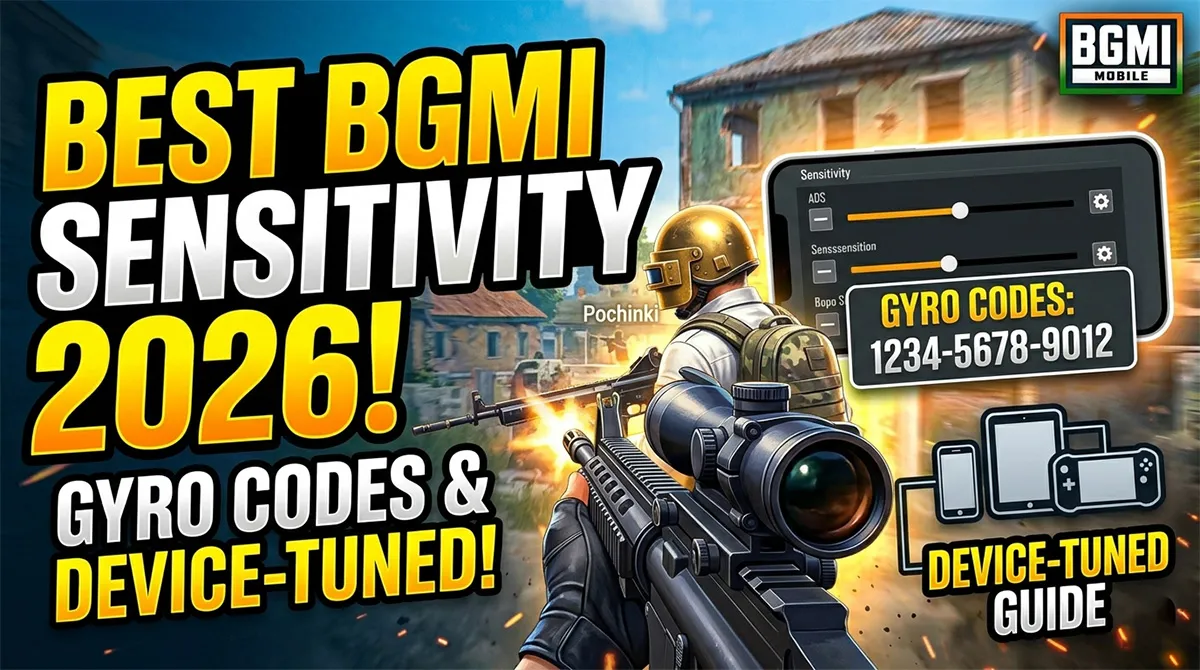
Stop copy-pasting a sensitivity code and hoping it turns you into a pro. It won’t. Because a 19-digit string from a player competing on an iPhone 15 Pro Max won’t behave the same way on your budget Android phone. And that’s the secret this guide, and no other, will tackle today.
The real value of a pro player’s sensitivity isn’t the numbers—it’s the logic behind them. It’s understanding that Jonathan uses a gyroscope-first setup on a flagship phone, while Mortal achieved legendary status on a non-gyro setup with a mid-range device. Each configuration is a solution to a specific set of requirements: their device, their finger layout, and their role in the squad.
Before you copy any code, we need to permanently fix one crucial disconnect.
⚠️ The “Device Gap” — Why Crushing a 60FPS Phone Won’t Work
The single biggest factor most guides ignore is the device gap. A sensitivity setting that feels laser-precise on a 90 FPS or 120 FPS flagship screen will feel sluggish and unresponsive on a 60Hz display.
-
If you have a flagship device (90/120 FPS): You can use lower, more precise gyro and ADS sensitivities. Your screen refreshes faster, making movements appear smoother and requiring less physical correction.
-
If you have a 60Hz device: You’ll need higher sensitivity values to make the movement feel responsive, as the slower refresh rate introduces a tiny but noticeable delay. Pro settings must be adapted, not just adopted.
With that in mind, let’s dissect the setups of India’s BGMI legends in 2026.
Jonathan Gaming: The Gyroscope God’s Glass-Cannon Precision
In 2026, Jonathan is no longer just “that hyper-aggressive kid from GodLike.” He’s the established G.O.A.T., a content creation juggernaut, and his settings reflect a player who has transitioned from pure, raw aggression to a more calculated, yet still terrifyingly precise, style.
Jonathan’s Context (The “Why”)
-
Device Evolution: Jonathan competes on a flagship device with an ultra-responsive gyroscope sensor. His entire setup is built around this. He doesn’t just “use” gyro; he lives inside it.
-
The “Glass Cannon” Build: His sensitivity is a high-risk, high-reward masterpiece. It’s tuned for whip-fast flicks, instant 180-degree counter-attacks, and zero-recoil sprays, but it demands elite-tier fine motor control. A twitchy finger can ruin a spray.
Jonathan’s Verified 2026 Settings
-
Control Code:
7238-4338-0842-0180-522 -
Layout & Gyro: 3-finger claw with “Always On” gyroscope at 300% sensitivity for most scopes. His aim assist is reportedly disabled to maximize raw aim development.
| Category | Key Settings & Values | The “Game Sense” Logic |
|---|---|---|
| Camera Sensitivity | TPP No Scope: 110% Red Dot/Holo: 88% 4x Scope: 24% |
High camera sensitivity for rapid scans; instant slowdown on scopes for surgical tracking. |
| ADS Sensitivity | TPP No Scope: 110% Red Dot/Holo: 88% 6x Scope: 12% |
He controls recoil with gyro, not ADS. Low ADS settings let the gyro do all the heavy lifting. |
| Gyroscope Sensitivity | TPP No Scope: 300% Red Dot/Holo: 300% 4x Scope: 260% |
This is the core of his aim. He aims more by tilting his phone than by swiping his thumb. |
Pro Tip: If you play on a flagship phone and are serious about competitive play, experiment with Jonathan’s 300% gyro sensitivity on a 3-finger or 4-finger claw layout. It will take two weeks to feel normal, but it separates the good from the great.
Mortal: The Non-Gyro Sensei’s Enduring Legacy
Mortal’s settings are perhaps the most user-friendly and widely adopted in India, and for good reason. As he transitioned from a competitive titan to a beloved content creator and team owner, his settings have remained a masterclass in controlled, non-gyro precision.
Mortal’s Context (The “Why”)
-
The 60 FPS Legacy: Mortal built his legendary career on a non-gyro, high-ADS setup optimized for older, 60 FPS devices. This makes his philosophy directly relevant to the vast majority of mobile players even today.
-
Retired Pro, Active Theory-Crafter: His settings are no longer tested in Tier-1 scrims but are perfected for hours of daily streaming and content creation, where consistency and reliability are paramount.
Mortal’s Verified Non-Gyro Settings
-
Control Code:
6983-8762-7023-5848-120 -
Layout & Gyro: 2-thumb layout (no claw). This is a pure thumb setup where every action is a deliberate swipe. This code is perfect for players who don’t use gyroscope.
| Category | Key Settings & Values | The “Game Sense” Logic |
|---|---|---|
| Camera Sensitivity | TPP No Scope: 130% Red Dot/Holo: 78% 4x Scope: 18% |
High camera speed to compensate for lack of gyro; needs to physically turn fast for awareness. |
| ADS Sensitivity | TPP No Scope: 100% Red Dot/Holo: 56% 6x Scope: 16% |
This is where he controls recoil. Without gyro, careful, high-precision ADS settings are his only tool. |
| Gyroscope Sensitivity | All values: 1% | He does not use gyro at all. This is a masterclass in proving you don’t need it to reach the top 0.01% of players. |
The Mortal Playstyle: His setup is for the intelligent player, not the fastest. It rewards pre-aiming, holding angles, and taking fights where you don’t need to do a 360-degree spin to survive. Perfect for beginners and claw-less players.
Dynamo Gaming: The Hybrid Assassin’s “Patt Se Headshot” Setup
Dynamo is the bridge between worlds. Famed for his sniper mechanics and the iconic “Patt se Headshot,” his sensitivity is a thinking player’s setup, perfectly balanced for both long-range devastation and close-range panic.
Dynamo’s Context (The “Why”)
-
The “Hybrid” Approach: He uses a classic, reliable 4-finger claw layout to handle complex movement and aim, but his gyro settings are tuned for finesse, not for raw speed.
-
The Sniper’s Touch: His setup prioritizes micro-adjustments. It’s designed to smoothly acquire a moving target’s head with a 6x scope, not to out-flick a close-range UMP rush.
Dynamo’s Verified Hybrid Settings
-
Control Code:
7128-4471-2299-3401-220 -
Layout & Gyro: 4-finger claw, with “Scope On” gyroscope for precise micro-adjustments, especially at long range.
| Category | Key Settings & Values | The “Game Sense” Logic |
|---|---|---|
| Camera Sensitivity | TPP No Scope: 115% Red Dot/Holo: 72% 4x Scope: 15% |
A “Goldilocks” balance. Fast enough to check corners, slow enough to pre-aim accurately without gyro. |
| ADS Sensitivity | TPP No Scope: 100% Red Dot/Holo: 52% 6x Scope: 8% |
Extremely low for 6x. This is a dedicated sniper setting for the smoothest possible target tracking. |
| Gyroscope Sensitivity | TPP No Scope: 300% Red Dot/Holo: 300% 6x Scope: 120% |
Lower gyro on 6x for surgical precision. He uses it to smoothly track and make micro-corrections. |
The Dynamo Playstyle: Sniper-focused players, this is your new test code. It’s designed to make bolt-action rifles and DMRs feel like extensions of your will, without making you helpless if someone pushes your building.
Goblin: The New-School Menace and His 90 FPS Fury
Goblin represents the raw, uncut future of BGMI esports. His settings are a look into what the next generation of champions are using: high-end devices maxed out for FPS and visual fluidity.
Goblin’s Context (The “Why”)
-
The 90 FPS Advantage: He competes on a 90 FPS-supported device, and his settings are tuned for this fluidity. Movements are buttery smooth, allowing for more aggressive pushes and faster reaction times.
-
Aggression, Refined: His settings support a relentless, push-heavy playstyle. He’s an entry fragger who needs to see you, flick to you, and eliminate you before you’ve processed that he’s in your building.
Goblin’s Verified 90 FPS Settings
-
Device: Typically seen on an iPad Pro or high-end gaming phone, set to 90 FPS.
-
Layout: 4-finger claw for advanced mechanics. His settings are optimized for raw reaction speed within a high-fidelity visual environment.
| Category | Key Settings & Values | The “Game Sense” Logic |
|---|---|---|
| Camera Sensitivity | TPP No Scope: 130% Red Dot/Holo: 90% 4x Scope: 30% |
Explosively fast, built for a device where 90 FPS minimizes motion blur. He relies on vision more than sound. |
| ADS Sensitivity | TPP No Scope: 110% Red Dot/Holo: 64% 6x Scope: 22% |
Tuned for full-auto sprays at longer ranges. The 90 FPS allows for much cleaner spray patterns at higher sensitivities. |
| Gyroscope Sensitivity | TPP No Scope: 300% Red Dot/Holo: 300% 6x Scope: 140% |
“Always On” for instant, fluid adjustment. It’s a higher-risk, higher-reward version of Jonathan’s philosophy. |
The Pro Breakdown: A Side-by-Side Comparison
| Player | Playstyle | Device/Layout | Best Code |
|---|---|---|---|
| Jonathan | Hyper-Aggressive Gyro God | 120 FPS / 3-Finger Claw | 7238-4338-0842-0180-522 |
| Mortal | Tactical Non-Gyro Sensei | 60 FPS / 2-Thumb | 6983-8762-7023-5848-120 |
| Dynamo | Hybrid Assassin / Sniper | 60/90 FPS / 4-Finger Claw | 7128-4471-2299-3401-220 |
| Goblin | New-School Aggressive Fragger | 90 FPS / 4-Finger Claw | 7307-1085-6780-4282-435 |
How to Safely Backup Your Settings Before Importing
You must do this. Cloud codes can disappear or get overwritten.
-
Go to your in-game Settings.
-
Select the Sensitivity tab.
-
Tap Layout Management (bottom of the screen).
-
Hit Upload to Cloud. Give it a name you’ll remember (e.g., “my_june_backup”).
Now, if a pro code doesn’t work out, you can instantly return to your old settings by downloading your backup.
The 15-Minute Tuning Method: Make Any Code Yours
-
Go to Training Ground. Import the pro code that matches your playstyle and device tier.
-
Test 1 (The 180 Rule): Stand still. Swipe from one edge of your screen to the other. You should turn exactly 180 degrees. If less, increase your TPP No Scope Camera Sensitivity by 5%. If more, decrease it. This is your baseline.
-
Test 2 (The Red Dot Recoil Test): Pick an M416, no attachments but a Red Dot. Shoot a wall 20 meters away without controlling the spray, then with control. Adjust your ADS Sensitivity (Red Dot) by small amounts until the spray feels controllable, not like a wild horse.
-
Test 3 (The 3x Gyro Spray): This is the most-used combo in BGMI. Equip the 3x on your M416. Stand 40 meters from a target. If your crosshair shakes, lower the Gyroscope sensitivity for 3x by 20-30 points. If it drags down too fast, increase it. When it’s perfect, your spray will feel like it’s locked onto the target.
Frequently Asked Questions (FAQs)
1. Why doesn’t a pro player’s sensitivity code work perfectly on my phone?
Your phone’s screen size, touch sampling rate, and FPS stability are different from the pro’s device. A code is a starting point for your hardware’s unique physics. You must always fine-tune it in the Training Ground.
2. What is the difference between Camera, ADS, and Gyro sensitivity?
Camera is for looking around without shooting. ADS (Aim Down Sight) is for controlling recoil when you are firing your weapon. Gyroscope is a separate sensor that lets you aim by physically tilting your phone.
3. Is copying a pro player’s settings against the rules?
No. Sensitivity codes are a built-in feature of BGMI. It’s perfectly safe and allowed by Krafton.
4. My pro code stops working or says “Expired” — Why?
Sensitivity codes are cloud-saved. If a pro player updates their settings in their own account, the old public code they shared might break or get overwritten. This is another reason to screenshot your tuned settings as a final backup.
5. Which layout is best for me — 2-finger, 3-finger, or 4-finger claw?
It depends on your playstyle goal. 2-finger (Mortal) is best for casual/comfortable play. 3-finger is a step up for faster movement. 4-finger claw (Dynamo/Goblin) is best for competitive play, allowing you to move, aim, shoot, and crouch all at the same time.
The Takeaway: Go Beyond the Copy-Paste
The true value of a pro player’s settings isn’t in the numbers, but in the philosophy. You now know why Mortal uses low ADS values for his thumb-only layout, and why Goblin’s 90 FPS screen demands a faster, more aggressive setup than a 60Hz phone can handle.
Pick the philosophy that matches your device and playstyle, use the 15-minute tuning method, and then—and this is the most important step—close the settings menu and practice for two weeks. Real aim is built by muscle memory, not by chasing a magical configuration string.
BGMI style name generator
BGMI Style Name Generator – Stylish Fonts, Symbols & Cool Tags Free Your BGMI name shows up everywhere…
BGMI KD Calculator — Check Your KD Ratio Instantly
BGMI KD Calculator – Check Your KD Ratio Instantly Are you curious about your Kill/Death (KD) ratio in Battlegrounds Mobile…
BGMI Invisible Name Copy Paste Tool — Blank Space Characters
About This BGMI Invisible Space Tool You’re here because you searched for a way to add blank spaces…
BGMI Symbols Copy Paste
Best BGMI Name Symbols (300+ Stylish & Unique Copy-Paste Characters) Want to make your BGMI profile stand out in the…
BGMI Sensitivity Code Generator
Free BGMI Sensitivity Code Generator: No Recoil in 2026 Are you tired of copying the wrong pro player…