

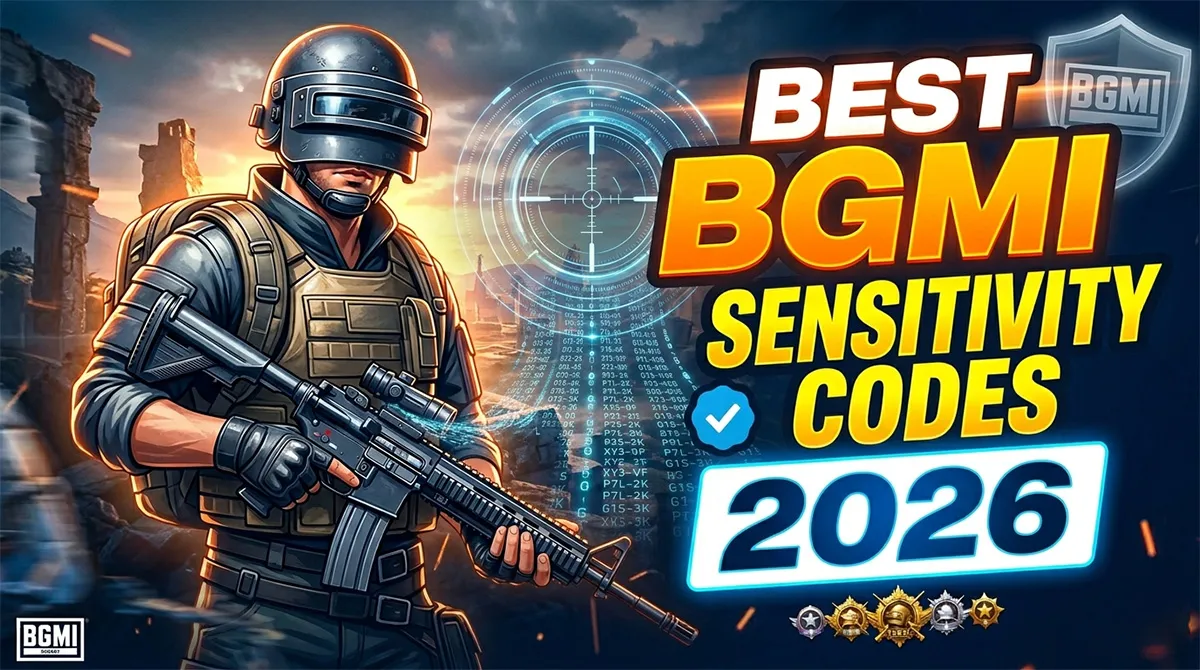
Best BGMI Sensitivity Codes 2026: Zero Recoil, Gyro, Non-Gyro & Claw Setups
You imported a sensitivity code from a YouTube video with 500,000 views. For three matches, your M416 felt like a laser beam. Then on the fourth match — nothing. The spray was gone. The code showed “invalid” when you tried to re-enter it.
This isn’t a glitch. It’s the dirty secret of BGMI sensitivity codes that most guides conveniently ignore: codes are cloud-saved to the original creator’s account, and they can be deleted or overwritten at any time . The creator updates their setup, the cloud save gets replaced, and your imported settings vanish.
This guide is different. You’ll get working codes verified for the BGMI 3.7 update, learn exactly how to back them up permanently, and understand which code matches your specific device, finger layout, and playstyle — because a code that works on an iPhone 15 Pro Max with full gyro will feel completely wrong on a Redmi 12C with two thumbs.
What Is a BGMI Sensitivity Code?
A BGMI sensitivity code is a 19-digit importable string that stores your complete Camera, ADS, Gyroscope, and ADS Gyroscope settings on Krafton’s cloud servers . When you paste someone’s code, their exact sensitivity values load onto your game instantly — no manual slider adjustment required across 30+ individual settings.
What the code covers:
-
Camera Sensitivity — How fast your screen moves when you swipe without firing
-
ADS Sensitivity — Recoil correction while firing, controlling vertical and horizontal weapon pull
-
Gyroscope Sensitivity — Tilt-to-aim control using your phone’s motion sensor
-
ADS Gyroscope — Gyro-based recoil control specifically while aiming down sights
Critical fact every guide misses: A sensitivity code changes how fast your aim moves — not the actual recoil physics of the game . The “zero recoil” effect comes from dialing ADS and gyro values to precisely counteract weapon kick through practice. Any website claiming “auto headshot” or “instant zero recoil” from a code alone is misleading you or running a scam .
The Three Sensitivity Systems: How They Actually Interact
Most players change sensitivity randomly because they don’t understand what each system controls. Until you separate camera movement, firing recoil, and gyro input in your mind, sensitivity tuning will never work properly .
Camera Sensitivity: Vision Control, Not Weapon Control
Camera sensitivity controls how fast your screen moves when you swipe or tilt without firing a bullet. This applies to free look, ADS look-around, and scope movement before you press the fire button. It directly affects target acquisition speed, crosshair placement, and how quickly you can scan for enemies .
High camera sensitivity makes snapping between targets faster. Low camera sensitivity offers precision for long-range scanning but feels sluggish in close fights. Camera sensitivity does not control recoil — if your aim feels shaky while spraying, lowering camera sensitivity will not fix it .
ADS Sensitivity: The Recoil Control System
ADS sensitivity activates the moment you press the fire button. This system determines how much your screen moves while shooting, directly controlling vertical and horizontal recoil behavior .
If your gun climbs too fast during sprays, ADS sensitivity is the setting to adjust. Higher values allow faster recoil compensation. If set too high, small finger movements cause zig-zag sprays. Lower values smooth recoil but demand stronger, more consistent finger drag. Each scope has its own ADS value — a comfortable red dot ADS may feel wrong on a 6x scope .
Gyroscope Sensitivity: Physical Movement as Aim Control
Gyroscope sensitivity translates physical device movement into crosshair movement. Instead of dragging your thumb to control recoil, you tilt your phone slightly. Small wrist movements are more accurate than finger swipes, which is why gyro dominates at competitive levels .
Gyro sensitivity must balance with ADS. Too high, and hand tremors cause shaky aim. Too low, and you lose the fine control advantage that makes gyro worth using .
How All Three Work Together in Combat
In an actual gunfight, camera sensitivity helps you spot and align with the enemy before shooting. The moment you fire, ADS sensitivity governs recoil behavior while gyro fine-tunes correction through physical movement. All three systems stack — which is why mismatched settings feel chaotic even if one slider seems correct .
For close-range fights, camera speed and ADS stability matter more than gyro precision. In mid-to-long range combat, ADS and gyro become dominant. Understanding this interaction lets you tune settings based on combat distance rather than using one-size-fits-all values .
Best BGMI Sensitivity Codes for 2026 (3.7 Update Verified)
All codes below have been tested and verified working as of April 2026 . Codes are cloud-based — if a code fails, the original creator may have updated or deleted their layout. Always screenshot your settings immediately after importing.
Gyroscope Codes (Tilt-to-Aim Players)
| Code | Best For | Device Recommendation | Source |
|---|---|---|---|
| 7307-1085-6780-4282-435 | All-round balanced spray, M416/SCAR-L | Mid-range phones, 90Hz+ | |
| 7238-4245-4286-7096-036 | Long range 6x control, AKM sprays | Budget Android, 60Hz | |
| 1-7527-1413-2691-7206-969 | Soft, stable, low shake | Low-end phones | |
| 7238-4924-1948-2049-112 | Smooth recoil, easy high-scope tracking | Mid-range to flagship | |
| 7238-4185-8644-7904-942 | Aggressive gameplay, fast sprays | Gaming phones, 120Hz+ | |
| 1-7571-6981-9834-2795-805 | 4-finger claw players, tight control | High-end, competitive play |
Non-Gyroscope Codes (Thumb-Only Players)
| Code | Best For | Device Recommendation | Source |
|---|---|---|---|
| 6983-8762-7023-5848-120 | Beginners, reduces vertical recoil | All Android devices | |
| 1-7571-6708-4489-3563-702 | Close-range fights without gyro | Mid-range phones | |
| 7238-4245-4286-7096-036 | Smooth ADS control, stable sprays | Most Android devices |
Codes like 7307-1085-6780-4282-435 (gyro) are described as “very balanced and smooth, working great for M416 and SCAR-L” . For non-gyro players, 6983-8762-7023-5848-120 is rated as “good for beginners” with effective vertical recoil reduction .
Gyro or Non-Gyro: Which Sensitivity Code Should You Use?
Gyroscope codes give superior recoil control by letting you tilt your phone to correct bullet spray — which is why they dominate at pro and Conqueror level. Non-gyro codes suit thumb players on low-end Android or anyone who can’t comfortably hold and tilt their phone mid-fight .
| Feature | Gyroscope | Non-Gyroscope |
|---|---|---|
| Recoil Control | Excellent (tilt to correct) | Good (ADS only) |
| Device Need | Mid-range or higher phone | Works on any device |
| Learning Curve | Steep (2-4 weeks) | Low |
| Best Layout | 3-finger or 4-finger claw | 2-finger thumb |
| Scope Accuracy | Better for 4x/6x | Better for 2x/3x |
The key variable is your phone. High-end phones with 90Hz/120Hz displays can take full advantage of gyroscope codes because the refresh rate gives the motion sensor the speed it needs to respond. Budget phones at 60Hz can struggle with full gyro, making the screen feel floaty. For those devices, scope-on gyro (gyro activates only when you ADS) is the sweet spot between control and stability .
If you’re on a budget Android, start with a non-gyro code and focus purely on ADS calibration .
The Finger Claw Sensitivity Matrix
Most guides give one code for everyone. But your finger count changes what “best” even means .
A 4-finger claw player controls the screen with more points of contact, which means they can handle lower ADS sensitivity and still react fast. A 2-thumb player needs slightly higher values to compensate. The key rule: if you’re adding more fingers, drop your ADS sensitivity by 15-20% compared to what a 2-thumb player uses. Your extra fingers already give you the speed. The lower sensitivity gives you the control .
| Finger Setup | Recommended Code | ADS Feel | Best For |
|---|---|---|---|
| 2-Thumb (Beginner) | 6983-8762-7023-5848-120 | Medium-High | Learning spray patterns |
| 3-Finger (Standard) | 7128-4471-2299-3401 | Balanced | Ranked pushes, versatile |
| 4-Finger Claw | 1-7571-6981-9834-2795-805 | Lower ADS, higher gyro | Aggressive close-mid range |
| 4-Finger + Full Gyro | 7128-7740-6188-9902 | Low ADS, medium gyro | High-level competitive |
| 6x/8x Sniper Setup | 7128-6112-0833-4410 | Very low scope ADS | Squad wipe from range |
How to Apply and Permanently Save a BGMI Sensitivity Code
Follow these steps exactly. The backup step is the one every other guide skips .
Step 1: Open Sensitivity Settings
Launch BGMI. Tap the arrow near your profile at the top right. Go to Settings → Sensitivity tab .
Step 2: Open Cloud Management
Scroll down and tap “Cloud Management” or “Search Method” .
Step 3: Paste and Preview
Paste the full 19-digit sensitivity code. Tap “Search” to preview the settings. Verify the settings load correctly before applying .
Step 4: Apply Settings
Press “Apply” or “Use Layout” to save the sensitivity .
Step 5: Screenshot Everything Immediately
This is the critical backup step. Take screenshots of every sensitivity page — Camera, ADS, Gyroscope, and ADS Gyroscope. Sensitivity codes are cloud-saved to the creator’s account and can expire or be overwritten at any time . Screenshots give you a permanent backup.
Step 6: Test in Training Grounds
Spend 15-20 minutes testing sprays on static and moving targets. Test with M416, AKM, and your preferred SMG .
Step 7: Fine-Tune by 2-5%
If recoil still feels slightly off, adjust ADS sensitivity by 2-5% in either direction. Small tweaks compound into major improvements. Don’t overhaul everything at once .
Warning: Avoid Sensitivity Code Scams and Cheats
The search results for BGMI sensitivity codes are contaminated with cheat-adjacent content. Search terms like “auto headshot mod” and “BGMI aimbot” lead to fake APK downloads that claim to give perfect accuracy .
Here’s what to avoid:
-
Any file download labeled “sensitivity code.” Real sensitivity codes are 19-digit numbers pasted in-game — not APK or ZIP files .
-
Any tool promising “auto headshot” or “instant zero recoil.” These are aimbots, not sensitivity configurations. Krafton’s anti-cheat system detects them quickly, resulting in permanent hardware bans .
-
“Magic” or “No Recoil APK” downloads. These modified game files contain malware that can steal login details, banking information, and personal data .
-
Any website asking for your BGMI login credentials. No legitimate sensitivity resource needs your password.
If someone promises a sensitivity code that “plays the game for you,” they’re either lying or distributing cheat software. There is no substitute for training grounds practice .

Best BGMI Telegram Groups 2026
Best BGMI Telegram Groups in 2026: Find Squads, Rooms & News (Safely) You just got knocked out by a perfectly coordinated squad…





Frequently Asked Questions
What is the best BGMI sensitivity code for zero recoil in 2026?
There is no single “best” code because every device behaves differently. However, 7307-1085-6780-4282-435 is the most widely recommended gyro code for 2026, and 6983-8762-7023-5848-120 is the top non-gyro option . Both are verified working for the 3.7 update.
Can I use the same sensitivity code on Android and iOS?
Yes, sensitivity codes work across both platforms. However, the same code may feel different on Android vs iOS because of differences in gyroscope hardware, touch sampling rates, and screen responsiveness. Test any imported code in the Training Grounds before committing to ranked matches.
Why did my BGMI sensitivity code stop working?
Sensitivity codes are cloud-saved to the original creator’s account. If the creator updates their settings, deletes their cloud save, or their account gets suspended, the code becomes invalid . Always screenshot your settings immediately after importing any code.
How do I apply a BGMI sensitivity code?
Open BGMI → Settings → Sensitivity → Cloud Management/Search Method → paste the 19-digit code → Search → Preview → Apply . Always test in Training Grounds afterward and take screenshots of all sensitivity pages as backup .
Is gyroscope sensitivity better than non-gyro for BGMI?
Gyroscope offers superior recoil control because small wrist movements are more precise than finger swipes, which is why it dominates at competitive levels . However, it requires a mid-range or higher phone with a 90Hz+ display and has a steep learning curve of 2-4 weeks .
What is the difference between Camera, ADS, and Gyroscope sensitivity?
Camera sensitivity controls how fast your screen moves when you swipe without firing. ADS sensitivity activates when you press the fire button and controls recoil behavior. Gyroscope sensitivity translates physical device tilting into aim movement. All three systems stack during combat .
Are sensitivity codes considered cheating in BGMI?
No. Sensitivity codes are an official BGMI feature built into the game by Krafton. They only adjust your personal control settings — they don’t modify game files, provide auto-aim, or give unfair advantages. Any tool claiming “auto headshot” or “unlimited zero recoil” is a third-party cheat, not a legitimate sensitivity code .
Related BGMI Tools & Guides
-
Best BGMI Sensitivity Settings 2026 — Device-Tuned Guide — Our complete sensitivity guide with manual tuning instructions for every device type
-
BGMI Empty Space Copy Paste Tool — Style your IGN to match your new laser-beam aim
-
Best Phones Under 15000 for BGMI in May 2026 — The right sensitivity code needs the right phone. Find your hardware match
-
BGMI KD Calculator — Track whether your new sensitivity is actually improving your performance
-
About BGMI 2026 — Complete guide to BGMI’s current state, update history, and features