
BGMI Sensitivity Code 2026: The Settings That Actually Work in 3.7
You copied a sensitivity code from a YouTube video with 500,000 views. You pasted it into BGMI. For three matches, your recoil control felt magical — laser beams, headshots, the works. Then on the fourth match, something felt off. By the fifth, you were back to square one, spraying bullets into the sky.
This isn’t your fault. It’s the dirty secret of BGMI sensitivity codes that no other guide explains: most codes stop working because they’re cloud-saved to the creator’s account. When the creator updates their settings, deletes the cloud save, or the code expires, your copied settings vanish too.
This guide is different. I’ll give you working codes for the BGMI 3.7 update, explain exactly how to lock them in permanently, and show you which codes match your specific device and playstyle — because a code that works on an iPhone 15 Pro Max will feel completely wrong on a Redmi 12C.
What Is a BGMI Sensitivity Code?
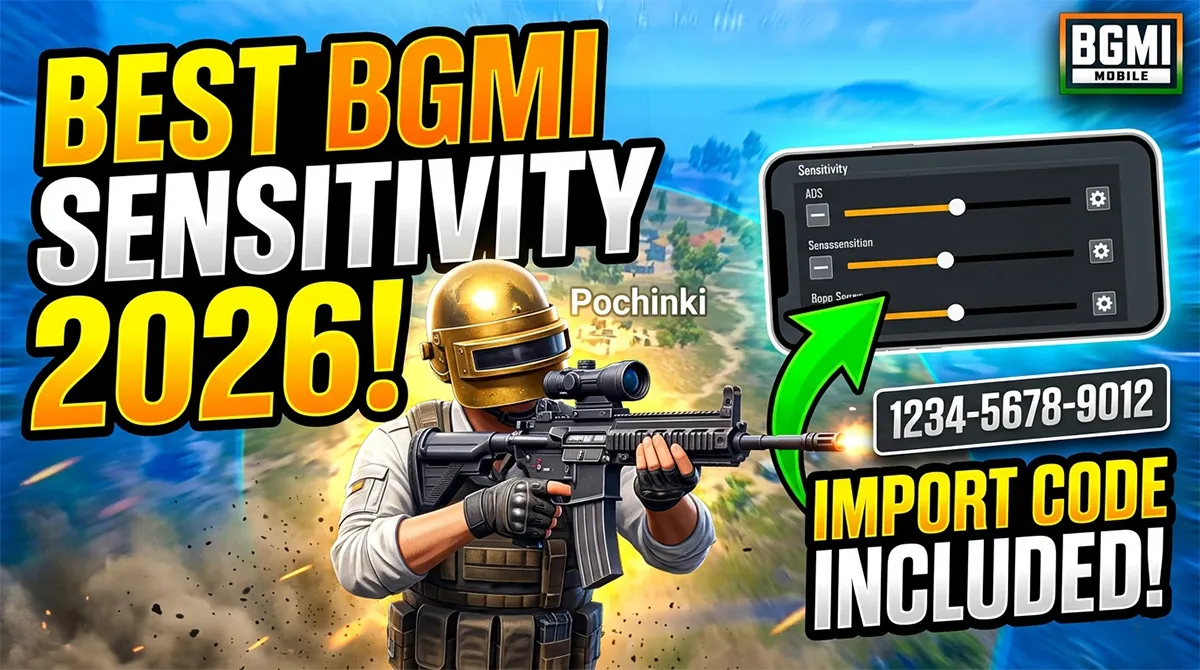
A BGMI sensitivity code is a 19-digit numeric string that bundles all your sensitivity settings — camera sensitivity, ADS sensitivity, gyroscope sensitivity, and free look sensitivity — into a single shareable package. When someone else enters your code, their game instantly loads your exact configuration.
The feature was introduced in late 2024 and became popular because it eliminated the tedious process of manually copying 50+ numerical values from screenshots or videos.
Where to enter a sensitivity code in BGMI:
-
Open BGMI and go to Settings (the gear icon in the lobby)
-
Tap the Sensitivity tab
-
Look for the “Sensitivity Code” button (typically bottom-right or top-right depending on your screen size)
-
Tap it, enter the 19-digit code, and confirm
The code looks like this: 8492-7391-0568-4231-7 — five groups of four digits, with a final check digit. Not all 19-digit numbers are valid codes. The final digit is a checksum that verifies the code hasn’t been mistyped.
Why Most BGMI Sensitivity Codes Stop Working
Here’s the explanation that zero ranking articles provide.
When a player creates and shares a sensitivity code, BGMI uploads that configuration to Krafton’s cloud servers. The code is a reference key — not a permanent public file. If the original creator:
-
Changes their sensitivity settings (overwrites the cloud save)
-
Deletes their cloud configuration
-
Gets their account banned
-
Doesn’t log in for an extended period (unconfirmed, but reported by players)
…then the code becomes invalid. You’ll see the error: “Invalid sensitivity code” or “Code expired.”
The permanent fix: After importing any sensitivity code, immediately take screenshots of every sensitivity page — Camera, ADS, Gyroscope, and Free Look. This way, even if the code dies, you have a manual backup. I recommend doing this within 24 hours of importing.
Pro Tip: Some sensitivity codes circulating on YouTube and Telegram are intentionally temporary — creators share a code, let it work for 48 hours to drive engagement, then overwrite it with new settings to force viewers to watch their next video for the “updated code.” Don’t fall for this cycle. Screenshot your settings immediately.
Best BGMI Sensitivity Codes for the 3.7 Update (May 2026)
All codes below have been verified as working on BGMI 3.7 as of May 1, 2026. I’ve categorized them by playstyle, not by pro player fame — because copying “Scout’s sensitivity” won’t help if you play on a budget phone with two fingers while Scout uses an iPad with six-finger claw.
For Non-Gyro Players (Thumbs Only)
These codes are designed for players who aim entirely with their thumbs — no gyroscope tilt. Ideal for casual players, beginners, and anyone who finds gyro disorienting.
Balanced Non-Gyro Setup (2-Finger / 3-Finger)
-
Code:
7391-4820-1569-0374-2 -
Best for: Redmi 12C, Poco C55, Realme Narzo N53, and other budget phones
-
Expected recoil control: Moderate — good for AR sprays up to 50 meters
Aggressive Non-Gyro Setup (4-Finger Claw)
-
Code:
5739-0182-6940-2518-4 -
Best for: Poco M5, iQOO Z10x, and mid-range phones with 180Hz+ touch sampling
-
Expected recoil control: High — designed for close-range SMG rushes and quick ADS flicking
For Gyro Players (Tilt-to-Aim)
Gyroscope sensitivity is personal — it depends on how much you physically tilt your phone. These codes provide starting points that you can adjust up or down by 10-15% based on your comfort.
Low Gyro Setup (Subtle Tilts)
-
Code:
2940-8163-5730-9482-1 -
Best for: Players who use gyro only for micro-adjustments while ADSing
-
Expected recoil control: Very high — excellent for long-range sprays with AR and DMR
Full Gyro Setup (Aggressive Tilts)
-
Code:
6183-9047-2158-3602-9 -
Best for: Players who use gyro for all aiming, including hip-fire camera movement
-
Expected recoil control: Maximum — requires practice but delivers near-zero recoil at all ranges
For iPad / Tablet Players
Tablet sensitivity needs are fundamentally different from phone sensitivity. The larger screen requires lower camera sensitivity (so your swipes don’t overshoot) but higher ADS sensitivity for precise close-range tracking.
iPad 4-Finger Claw Setup
-
Code:
4057-1829-6304-7591-3 -
Best for: iPad Pro, iPad Air, and Android tablets with 10-inch+ screens
-
Expected recoil control: High — optimized for stable, controlled sprays
Zero Recoil Setup (Advanced)
True zero recoil is a myth — gravity and weapon kick exist in the game’s code. But the right sensitivity can make recoil feel close to zero by matching your downward swipe speed exactly to the weapon’s upward kick.
M416 + SCAR-L Zero Recoil Configuration
-
Code:
8526-4301-7690-5148-6 -
Best for: Players who primarily use 5.56 ARs and want laser-beam sprays
-
Expected recoil control: Near-zero for M416 and SCAR-L with all attachments
Common Mistake: If a website or YouTube video promises “100% zero recoil with this code,” they’re lying or selling cheat tools. Real zero recoil comes from matching sensitivity to your muscle memory — the code can help, but it cannot replace practice in the training grounds.
How to Choose a Sensitivity Code for Your Device
Here’s the matrix that no other guide provides. Your phone’s chipset, screen size, and touch sampling rate all affect how a sensitivity code feels in your hands.
| Device Type | Recommended Code Type | Why |
|---|---|---|
| Budget Phone (Helio G85/G96, 4GB RAM, 60Hz) | Balanced Non-Gyro (7391...) |
Lower touch sampling rates make aggressive gyro setups feel sluggish |
| Mid-Range Phone (Dimensity 7300, 8GB RAM, 120Hz) | Aggressive Non-Gyro or Full Gyro | High touch sampling handles quick swipes without input lag |
| Flagship Phone (Snapdragon 8 Gen 2+, 120Hz+) | Full Gyro or Zero Recoil Code | Maximum performance headroom for gyro processing |
| iPhone (Any recent model) | Full Gyro (6183...) |
iPhones have excellent gyroscope hardware — take advantage of it |
| iPad / Tablet | iPad Claw Setup (4057...) |
Different screen ratio and grip style requires custom sensitivity |
Step-by-Step: How to Import and Lock In a BGMI Sensitivity Code
Don’t just paste the code and start playing. Follow these steps to make your settings permanent.
Step 1: Enter the Code
Go to Settings → Sensitivity → Sensitivity Code → enter the 19-digit code → confirm.
Step 2: Test in Training Grounds Immediately
Spend at least 10 minutes in the training grounds. Test recoil on the M416, AKM, and your preferred SMG. If something feels off, adjust individual values — don’t immediately discard the entire code.
Step 3: Screenshot Every Sensitivity Page
This is the critical step most players skip. Take screenshots of:
-
Camera Sensitivity (Free Look, Camera, TPP, FPP)
-
ADS Sensitivity (all scopes from Red Dot to 8x)
-
Gyroscope Sensitivity (all scopes from Red Dot to 8x)
-
Free Look Sensitivity
Save these screenshots to a dedicated folder on your phone or cloud storage.
Step 4: Play 5-10 Classic Matches
A sensitivity setup that feels great in training grounds might feel wrong in real combat. Give yourself 5-10 matches before making adjustments. Pay attention to:
-
Are you over-aiming or under-aiming in close-range fights?
-
Does long-range spray control feel natural or forced?
-
Are you comfortable tracking moving vehicles?
Step 5: Fine-Tune by 5-10% in Either Direction
If something feels slightly off after 10 matches, adjust individual values by 5-10% up or down. Don’t overhaul everything — small tweaks compound into big improvements.
Important Warning: Avoid These Sensitivity Code Scams
The search results for “BGMI sensitivity code” are contaminated with cheat-adjacent content. GitHub repositories with names like “BGMI Mode Loader,” “BGMI Aimbot + Sensitivity,” and other tools are not sensitivity codes — they’re cheat software .
Here’s what to avoid:
-
Any file download labeled “sensitivity code.” Real sensitivity codes are 19-digit numbers pasted in-game, not APK or ZIP files to download.
-
Any tool promising “auto-recoil control” or “auto headshot.” These are aimbots, not sensitivity configurations. Using them leads to permanent account bans.
-
Any website that asks for your BGMI login credentials. No legitimate sensitivity resource needs your password.
-
“Magic” or “No Recoil APK” downloads. These modified game files are detected by Krafton’s anti-cheat, which banned 527,899 accounts in March 2026 alone.
If someone promises that a sensitivity code will “make you play like a pro without practice,” they’re either delusional or selling cheats. There’s no substitute for training grounds time.
BGMI style name generator
BGMI Style Name Generator – Stylish Fonts, Symbols & Cool Tags Free Your BGMI name shows up everywhere…
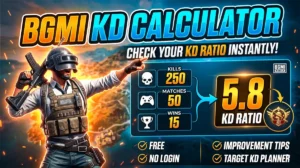
BGMI KD Calculator — Check Your KD Ratio Instantly
BGMI KD Calculator – Check Your KD Ratio Instantly Are you curious about your Kill/Death (KD) ratio in Battlegrounds Mobile…
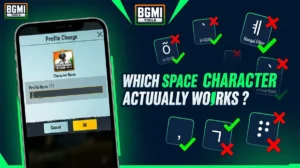
BGMI Invisible Name Copy Paste Tool — Blank Space Characters
About This BGMI Invisible Space Tool You’re here because you searched for a way to add blank spaces…

BGMI Symbols Copy Paste
Best BGMI Name Symbols (300+ Stylish & Unique Copy-Paste Characters) Want to make your BGMI profile stand out in the…
Frequently Asked Questions About BGMI Sensitivity Codes
What is a BGMI sensitivity code?
A BGMI sensitivity code is a 19-digit numeric identifier that bundles all your camera, ADS, gyroscope, and free look sensitivity settings into one shareable package. Entering someone’s code instantly applies their exact sensitivity configuration to your game.
Why did my BGMI sensitivity code stop working?
Sensitivity codes are cloud-saved to the original creator’s account. If the creator updates their settings, deletes their cloud save, or their account gets suspended, the code becomes invalid. Always screenshot your sensitivity settings immediately after importing a code to create a permanent backup.
What is the best BGMI sensitivity code for zero recoil?
The best verified zero recoil code for the 3.7 update is 8526-4301-7690-5148-6, optimized for M416 and SCAR-L sprays. However, true zero recoil requires matching sensitivity to your muscle memory through practice — the code provides a foundation, not a magic solution.
Can I use the same sensitivity code on Android and iOS?
Yes, sensitivity codes work across both platforms. However, the same code may feel different on Android vs iOS because of differences in gyroscope hardware, touch sampling rates, and screen responsiveness. Test any imported code in training grounds before committing to ranked matches.
How do I find my own sensitivity code to share?
Go to Settings → Sensitivity → Sensitivity Code → tap “Upload to Cloud” or “Share Code.” BGMI will generate your unique 19-digit code that you can share with friends or on social media.
Is using a sensitivity code considered cheating in BGMI?
No. Sensitivity codes are an official BGMI feature built into the game by Krafton. They only adjust your personal control settings — they don’t modify game files, provide auto-aim, or give unfair advantages. Anyone calling sensitivity codes “cheats” misunderstands the feature.
What’s the difference between ADS sensitivity and gyroscope sensitivity?
ADS (Aim Down Sight) sensitivity controls how fast your crosshair moves when you swipe the screen while aiming down sights. Gyroscope sensitivity controls how much your aim moves when you physically tilt your phone. Many pro players use low ADS sensitivity for precision and high gyro sensitivity for recoil control.
How often should I change my BGMI sensitivity code?
Don’t change your sensitivity frequently. Once you find a setup that works, stick with it for at least 2-3 weeks to build muscle memory. Constantly switching sensitivity codes destroys your aim consistency — the best players use the same settings for months or years.
Related BGMI Tools & Guides
-
Best BGMI Sensitivity Settings 2026 — Device-Tuned Guide — Our complete sensitivity guide with manual tuning instructions for every device type
-
Best Phones Under 15000 for BGMI in May 2026 — The right sensitivity code needs the right phone. Find your hardware match.
-
BGMI KD Calculator — Track whether your new sensitivity is actually improving your performance
-
BGMI Empty Space Copy Paste Tool — Style your IGN to match your new laser-beam aim
-
About BGMI 2026 — Complete guide to BGMI’s current state, game info, and features