

Zero Recoil Sensitivity BGMI Code for Android 2026 — Best Codes for Gyro, Non-Gyro & All Phone Types
Last Updated: June 2026 | Tested on Android devices | By BGMITools Team
If your gun shakes too much when you spray, you are not alone. Recoil is the #1 reason players miss easy kills in BGMI — even when their aim is pointed at the right spot.
The good news? You do not need to spend hours adjusting every single sensitivity value yourself. BGMI lets you import a sensitivity code that sets everything up in seconds.
In this guide, you will find the best zero recoil sensitivity codes for Android in 2026, a simple step-by-step on how to apply them, and tips to fine-tune based on your specific phone.
What Is a Zero Recoil Sensitivity Code in BGMI?
A sensitivity code is a short string of numbers that stores all your sensitivity settings — camera, ADS, and gyroscope — in one place. When you paste it into BGMI, the game applies those settings instantly.
“Zero recoil” does not mean your gun has absolutely no movement. Every gun in BGMI has some recoil built in. What it actually means is: your sensitivity is tuned so that recoil becomes easy and predictable to control. Your sprays feel smooth, your M416 stays on target, and your AKM does not jump wildly above your enemy’s head.
Think of it like this — if you have ever watched a pro player spray and wondered why their gun barely moves, it is not just skill. It is the right sensitivity combined with good finger control.
How to Apply a Sensitivity Code in BGMI (Step by Step)
This takes less than 60 seconds:
Step 1: Copy the sensitivity code you want to use (from the list below)
Step 2: Open BGMI on your Android phone
Step 3: Tap the arrow icon at the bottom right of the lobby → go to Settings
Step 4: Tap the Sensitivity tab on the right side
Step 5: Look for the magnifying glass icon (Search/Import) near the bottom of the screen
Step 6: Paste the code and tap Import
Step 7: Save your settings and go to Training Grounds to test
That is it. No extra apps, no downloads, no third-party tools needed. Everything happens inside BGMI itself.
Quick tip: Before applying any new code, take a screenshot of your current settings. That way you can always go back if the new code does not feel right on your phone.
Best Zero Recoil Sensitivity Codes for Android in 2026
Here are the most tested codes right now. They are split by playstyle so you can pick the one that matches how you play.
Best Overall Code (Works for Most Android Players)
7307-1085-6780-4282-435Best for: 2-finger and 3-finger players on mid-range Android phones (Redmi, Realme, Samsung M-series) Why it works: Very stable spray on M416 and SCAR-L. Camera sensitivity is balanced — not too slow, not too fast. Good starting point for anyone who has never used a sensitivity code before.
Best Code for Low-End Phones
1-7527-1413-2691-7206-969Best for: Budget phones under ₹10,000 — Redmi A-series, Realme C-series, Samsung A03/A04 Why it works: Smooth and low — designed to prevent shaking on phones that run at 30 FPS or struggle with frame drops. If you use the high-sensitivity codes on a low-end phone, the game feels jittery and your spray goes all over the place. This code fixes that.
Best Code for Gyroscope Players
1-7595-0697-8271-7628-940Best for: Players who use gyro (always on or scope-only) Why it works: Updated for BGMI 4.2 and still holding up well. Gyro sensitivity is calibrated so that small phone tilts translate to natural, controlled aim correction. Works for both full gyro and scope-only gyro users.
Best Code for 4-Finger Claw Players
1-7571-6981-9834-2795-805Best for: 4-finger and 5-finger claw players on high-end phones (iQOO, OnePlus, Samsung S-series) Why it works: Higher sensitivity values designed for players who have more fingers on screen and can handle faster camera movement. If you use 2-finger on this code, it will feel too fast — only use it if you actually play claw.
Best Code for Long-Range (6x Spray Control)
7238-4245-4286-7096-036Best for: Players who love sniping and 6x scope sprays with M416 or SLR Why it works: ADS sensitivity for long scopes (4x, 6x, 8x) is tuned lower than most codes. This gives you better control on 6x sprays — one of the hardest things to master in BGMI. Great if you play in open fields like Erangel and Miramar.
Best Code for Beginners
6983-8762-7023-5848-120Best for: New players or players switching from high sensitivity Why it works: Low camera and ADS values mean your crosshair moves slowly and predictably. You will not win many hip-fire close fights with this, but your spray control will improve fast because the gun barely moves. Once you feel comfortable, you can slowly increase values one scope at a time.
Best Code for Aggressive Close-Range Players
7238-4185-8644-7904-942Best for: Hot drop players, rush players, players who love Vikendi and Livik Why it works: Higher camera sensitivity for fast target switching. Recoil control is good but the focus here is speed — turning corners quickly, tracking fast-moving enemies, and winning 1v1 close-range fights. Good for budget devices too.
Which Code Should You Pick?
Not sure which one to start with? Use this simple guide:
| Your Situation | Code to Use |
|---|---|
| Complete beginner | 6983-8762-7023-5848-120 |
| 2-finger, mid-range phone | 7307-1085-6780-4282-435 |
| Low-end phone, 30 FPS | 1-7527-1413-2691-7206-969 |
| Gyroscope player | 1-7595-0697-8271-7628-940 |
| 4-finger claw, flagship phone | 1-7571-6981-9834-2795-805 |
| Long-range / sniper style | 7238-4245-4286-7096-036 |
| Rush / aggressive player | 7238-4185-8644-7904-942 |
Still not sure? Use the BGMITools Sensitivity Code Generator — enter your phone type, playstyle, and finger count and it generates a custom code for you instantly.
Why Your Phone Matters for Sensitivity
This is the part most guides skip — and it is really important.
High-end phones (iQOO 15, OnePlus 13, Samsung S25): These phones run at 90–120 FPS. At higher frame rates, your camera moves faster for the same sensitivity value. If you copy a code from a low-end phone player, it will feel too slow on your flagship. Start with the mid-range codes and increase by 5–10 points until it feels natural.
Mid-range phones (Redmi Note 14, Realme P4, Poco X7 Pro): Most sensitivity codes are designed around this device category — 60 FPS, Snapdragon 700-series. All the codes in this guide work well here as a starting base.
Low-end phones (Redmi A3, Samsung A04, Realme C55): 30–40 FPS phones need lower sensitivity values. Higher sensitivity on a low FPS device makes the game feel laggy and unstable. Always use the low-end specific code above, or manually drop camera and ADS values by 10–15 points from any other code you try.
iQOO Z11X players: This phone supports up to 120 FPS in BGMI 4.4. If you have recently upgraded to the Z11X, your old sensitivity code will feel too slow. Apply the 4-finger claw code above as a base and then increase camera sensitivity to around 105–110 for no-scope, keeping ADS values as they are.
How to Fine-Tune Any Code After Applying It
No code feels perfect on day one. Here is a simple 3-step process to adjust:
Step 1 — Go to Training Grounds first, not ranked. Spray at a target wall with your most-used gun (usually M416). Watch which direction the bullets go: if they go up — your ADS sensitivity is too high. If they go down — it is too low.
Step 2 — Adjust one value at a time. Only change one scope sensitivity at a time. Start with Red Dot/No Scope ADS since that is what you use most. Change by 5 points, test again. Never change 3 values at once — you will not know what actually helped.
Step 3 — Play 5 normal matches before deciding. Your muscle memory needs a few matches to adjust to new settings. Do not judge a sensitivity code after one bad game. Give it at least 5 matches before deciding to change it.
Manual Sensitivity Settings If You Prefer to Build Your Own
Not everyone wants to use a code. If you want to set values manually, here is a clean starting point for a mid-range Android phone at 60 FPS:
| Setting | Value |
|---|---|
| Camera (No Scope) | 90–100 |
| Red Dot / Holographic | 55–65 |
| 2x Scope | 45–50 |
| 3x Scope | 35–40 |
| 4x Scope | 25–30 |
| 6x Scope | 18–22 |
| 8x Scope | 10–15 |
| Gyro (No Scope) | 280–320 |
| Gyro (Red Dot) | 280–320 |
| Gyro (3x) | 200–220 |
| Gyro (4x) | 170–185 |
| Gyro (6x) | 130–150 |
These are starting values, not final values. Use the Training Grounds drill above to tune from here.
Want a fully custom set of values built around your specific phone and playstyle? Use the BGMITools Sensitivity Code Generator — it takes 30 seconds and gives you a ready-to-import code.
Common Mistakes Players Make With Sensitivity Codes
Mistake 1: Copying a pro player’s code without checking their phone. Jonathan plays on a flagship at 90 FPS. If you play on a Redmi A3 at 30 FPS and copy his exact code, your spray will be completely uncontrollable. Always check what device a code is designed for.
Mistake 2: Changing sensitivity mid-season. If you are currently in Diamond or Crown pushing to Ace, this is not the time to completely change your sensitivity. Do it at the start of a new season when rank reset gives you room to experiment.
Mistake 3: Using the same sensitivity for every gun. Sensitivity codes set a base — but some guns need extra pull control. The AKM pulls up and left. The M762 pulls up and right. No sensitivity code fixes this completely — you still need to learn each gun’s pull pattern in Training Grounds.
Mistake 4: Ignoring graphics settings. Sensitivity and graphics are connected. If your phone drops below 40 FPS mid-fight, your sensitivity feels different because frames are inconsistent. Set graphics to Smooth + Extreme FPS first. If your phone cannot handle Extreme, use High + Balanced. Then set your sensitivity.
FAQs
Q: Are these sensitivity codes safe to use? Will I get banned? Yes, 100% safe. Sensitivity codes are an official BGMI feature built by Krafton. You are importing settings that other players have shared through the game’s own cloud system. There is nothing third-party or illegal about it. Your account is completely safe.
Q: Why is the code showing “Expired” or “Not Found”? Sensitivity codes in BGMI are tied to the original player’s cloud save. If that player deletes or overwrites their settings, the code stops working. This happens regularly. If a code has expired, use the BGMITools Sensitivity Code Generator to generate a fresh one that never expires.
Q: How often should I change my sensitivity code? Only change when a major BGMI update ships — like 4.4 or 4.5 — because weapon recoil patterns sometimes change with updates. Mid-season sensitivity changes hurt your muscle memory more than they help. Stick with one code for at least 2–3 weeks before switching.
Q: Is zero recoil sensitivity the same as an aimbot or hack? No. Zero recoil sensitivity is simply the right combination of in-game settings. It makes your spray easier to control — but you still have to aim, move, and make decisions yourself. It is not a cheat and it does not auto-aim for you.
Q: What is the best sensitivity for the M416 specifically? For most Android players at 60 FPS, Red Dot ADS at 55–60 and 4x ADS at 25–28 gives very good M416 control. Apply the 7307-1085-6780-4282-435 code above as a starting base and then test the M416 specifically in Training Grounds.
Q: Do I need gyroscope for zero recoil? No. All the non-gyro codes above work without gyroscope. Gyro does help with recoil correction — especially at long range — but it takes time to learn. If you are new to gyro, start with scope-only mode (not always-on) and only use it when you are scoped into 3x or above.
Q: My sensitivity felt great in 4.3 but now feels off in 4.4. Why? BGMI 4.4 adjusted sniper damage and some AR recoil patterns. Changes to how a gun fires can make your existing sensitivity feel different even if nothing in your settings changed. Try the codes in this guide as a fresh base for the 4.4 meta, or use the sensitivity generator to rebuild from scratch.

BGMI style name generator
BGMI Style Name Generator – Stylish Fonts, Symbols & Cool Tags Free Your BGMI name shows up everywhere…
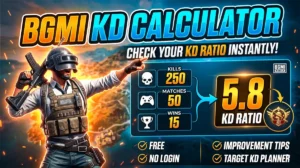
BGMI KD Calculator — Check Your KD Ratio Instantly
BGMI KD Calculator – Check Your KD Ratio Instantly Are you curious about your Kill/Death (KD) ratio in Battlegrounds Mobile…
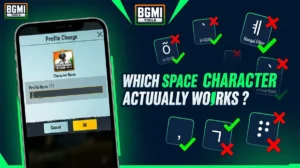
BGMI Invisible Name Copy Paste Tool — Blank Space Characters
About This BGMI Invisible Space Tool You’re here because you searched for a way to add blank spaces…

BGMI Symbols Copy Paste
Best BGMI Name Symbols (300+ Stylish & Unique Copy-Paste Characters) Want to make your BGMI profile stand out in the…
BGMI Sensitivity Code Generator
Free BGMI Sensitivity Code Generator: No Recoil in 2026 Are you tired of copying the wrong pro player…

BGMI Account Value Estimator – Check Account Price
💰 How Much Is Your BGMI Account Worth in 2026? If you’ve spent thousands of UC on Mythic…
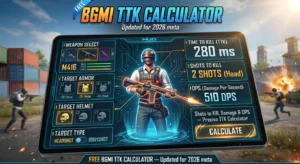
BGMI TTK Calculator — Shots to Kill, Damage & DPS
BGMI TTK Calculator — Time to Kill, Shots to Kill & DPS (2026) Find exactly how many bullets…
Explore More BGMITools
→ BGMI Sensitivity Code Generator — Generate a custom code for your exact phone, FPS, and finger style. Never worry about expired codes.
→ Best BGMI Sensitivity Settings 2026 — Full device-by-device guide for every phone category in India.
→ BGMI KD Calculator — Track whether your new sensitivity is actually improving your performance.
→ BGMI Redeem Codes Today — Claim free UC coupons and rewards updated every day.
→ Earn Free Google Play Codes — Complete daily tasks and earn Play Store credit to buy UC without spending money.