
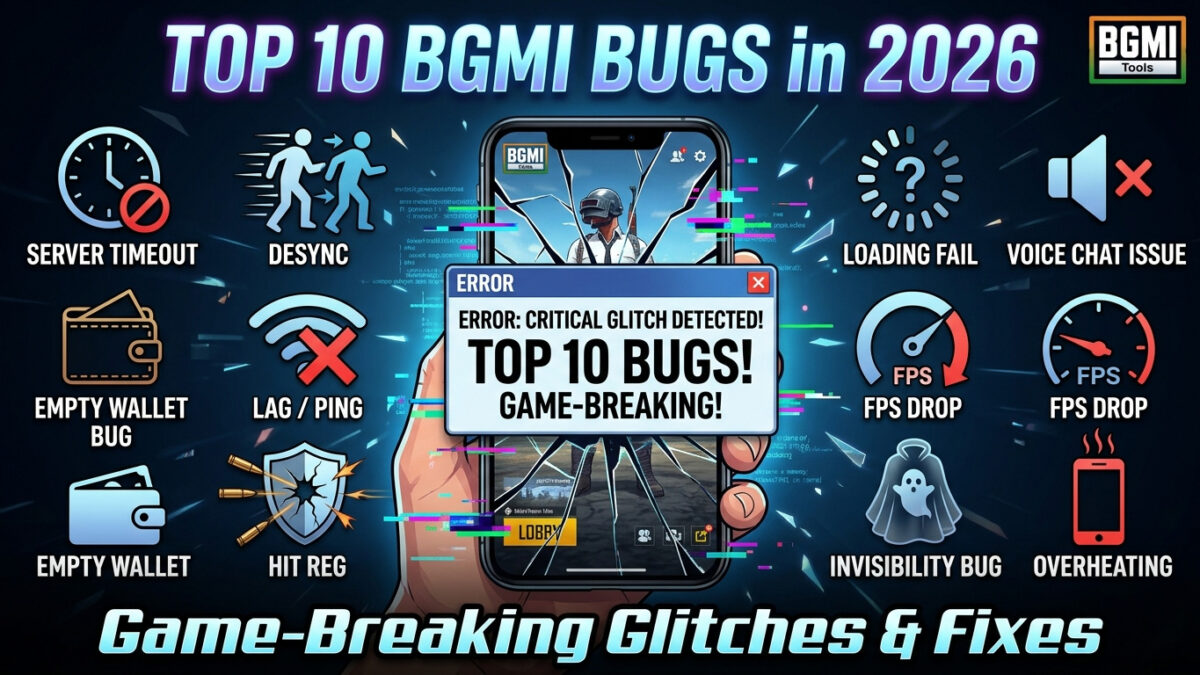
Top 10 BGMI Bugs in 2026: Game-Breaking Glitches & Frustrating Fixes
You’re in the final circle. You have the high ground, a fully kitted M416, and a clear shot. You fire—the enemy suddenly vanishes and reappears three feet to the left, firing back. Your screen freezes, and the next thing you see is your elimination screen with “Server Timeout” in the corner.
Battlegrounds Mobile India (BGMI) is packed with thrilling moments, but it’s also packed with bugs. While Krafton regularly releases updates with “minor bug fixes and improvements” , the reality for many players is a frustrating cycle of lag, disconnections, and glitches that have persisted for months. The community frustration is now so high that some are even questioning if the game is “dying” .
This post covers the ten most game-breaking bugs plaguing BGMI in 2026, from network nightmares to audio issues, explaining what they are, why they happen, and what you can (or can’t) do about them.
1. The “Server Timeout” Disconnect
The most notorious and rage-inducing bug of 2026 is the dreaded server timeout. This occurs when your game suddenly freezes, and a pop-up message informs you the connection has been lost, booting you back to the lobby .
This bug is devastating during rank-push matches. It doesn’t just ruin your game; it penalizes your rating. This is largely a server-side problem resulting from Krafton’s server infrastructure being overwhelmed, especially during peak hours or major in-game events. While you can’t fix Krafton’s servers, a fix on your end is to ensure your connection is as stable as possible before playing.
Quick Fix: Before a ranked match, turn on Airplane Mode for 20 seconds to force a fresh connection to your nearest tower.
2. Desync and Enemy “Teleportation”
Have you ever been killed by an enemy who wasn’t looking at you? Or shot at a player who suddenly “teleported” a few feet to the side? That’s desync, and it’s a major problem .
Desync happens when there is a delay between your game client and the game server. Your phone shows an enemy in one location, but the server “sees” them somewhere else. When the two sync up, the enemy appears to warp or teleport. Like server timeouts, this is often a server-side infrastructure problem, though a poor local network connection makes it exponentially worse.
Quick Fix: Always manually select the Mumbai server in your settings. If you’re using Wi-Fi, ensure no other devices are streaming or downloading large files.
3. Lag and Frame Drops on Capable Devices
Despite Krafton’s claims of optimization, many players report that the game lags and stutters even on phones that should easily handle it . The problem isn’t always your phone’s raw power; it’s often the game’s poor resource management and the pile-up of heavy cosmetic updates .
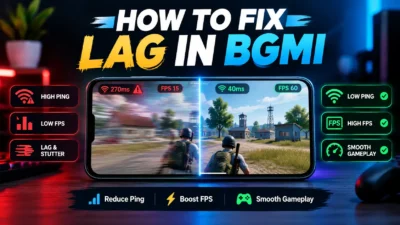
The 3.9 update’s flashy new modes have only made this more apparent, adding visual clutter without fixing underlying performance . On lower-end devices, the experience can be completely unplayable . The best fix is to aggressively reduce the game’s graphical demands.
Quick Fix: Go to Settings → Graphics, select the “Smooth” preset, and manually turn off “Shadows” and “Anti-Aliasing.” In the “Download” section of settings, enable the “Smart Removal” option to automatically delete unnecessary resource files .
4. Map Loading Glitches
This bug manifests in two forms. The first is when you land on a map, and the buildings look like blurry, melted Play-Doh that haven’t fully rendered. The second, more dangerous bug occurs when you fall through the “loaded” map and get stuck in an invisible pit, or vehicles fall through bridges.
This texture streaming failure is caused by a bottleneck between your phone’s storage read speed and the game’s demand for assets. You can mitigate this by ensuring your device has enough free space and isn’t overheating.
Quick Fix: Run the “Routine Repair” feature from the login screen once a week. This clears corrupted patch files that can slow down asset streaming . Also, disable “Auto Adjust Graphics” to prevent the game from making sudden, lag-inducing visual changes .
5. Audio Cue Dropouts
Sound is your most critical sense in BGMI. You rely on it to hear footsteps, gunshots, and vehicle engines. An audio bug where entire sound cues—particularly footsteps—go missing is a recurring and infuriating problem .
You’ll be holding a position, and a full squad will run up a flight of stairs right next to you without making a sound. This bug often increases after new update patches that tweak game audio. The only reliable trigger is the game’s own poor coding, which makes it mostly out of your hands. A poor local cache can sometimes cause this.
Quick Fix: Before a session, try clearing your BGMI cache in your phone’s App Settings. This forces the game to rebuild its temporary audio files.
6. Matchmaking Imbalance
Getting matched against players with “Conqueror” titles when you’re barely pushing Crown isn’t just bad luck—it’s a systemic matchmaking bug . The game’s algorithm often prioritizes quick queue times over creating fair lobbies, leading to demoralizing and unbalanced matches.
This is likely exacerbated by a shrinking player base, as reports of a “player exodus” suggest there are simply fewer people to create balanced matches from . There is no user-side fix for this bug. You can try switching to a different game mode (e.g., from squads to duos) or playing at a different time of day when the player pool is larger.
7. Overheating and Rapid Battery Drain
Some BGMI updates seem to turn phones into miniature space heaters. The game can push processors and GPUs to 100% for no apparent reason, causing dangerous heat buildup and rapid battery drain .
This isn’t just uncomfortable; when a phone overheats, it will forcibly dim the screen and throttle performance to cool down, causing massive frame drops. This is linked to the game’s poor optimization and the increasing complexity of its graphics . The best approach is to limit the game’s power consumption from the start.
Quick Fix: Aside from using “Smooth” graphics, ensure your phone’s Power Saving mode is turned OFF when you play (it restricts performance). In BGMI settings, turn off the “Highlight Moments” and “Replay” features, as these record gameplay in the background and put a huge strain on your processor and storage .
8. Invisibility Glitches
This rare but catastrophic bug causes a player’s character model to become invisible to others while they can still move and fire. A newer version of this bug in 2026 has been linked to specific skin and emote combinations that glitch the character’s hitbox and render state.
Encountering an invisible enemy is almost always a death sentence. This bug is often triggered by a specific sequence of actions, like entering a vehicle while performing an emote with a particular outfit. If you encounter this, the only option is to record the evidence and report the player—even if it was accidental, it’s an unfair exploit.
9. Hit Registration Failure
Closely related to desync, hit registration failure occurs when your crosshair is directly on an enemy, you fire, and see blood splatter, but the enemy takes no damage. It’s a visual confirmation of a game disconnect. This occurs when your client registers the hit, but the server rejects it due to latency or data mismatch.
Because bullet damage is calculated server-side, a millisecond of lag can be the difference between a kill and a death. The only real solution is to ensure you have the most stable ping possible.
Quick Fix: Use our BGMI Ping Optimizer Guide to learn how to set up a private DNS and enable Smart Network Optimization to achieve a stable 20ms ping.
10. Redeem Code & UC Purchase Failures
Buggy code redemption systems are a classic problem. It’s incredibly frustrating to copy a legitimate, limited-use redeem code, paste it, and get an “Invalid Code” or “Redemption Failed” error. Similarly, players report purchases being made, money being deducted, but the UC never arriving in their account.
This is an error between the third-party payment processor, Krafton’s server, and your game client. If this happens, you should immediately take a screenshot of the payment confirmation and contact Krafton’s in-game customer support. Resetting your advertising ID and restarting your phone can sometimes fix redemption issues.
BGMI Best Sensitivity for 3-Finger Claw No Gyro 2026 Guide
Best 3-finger claw no gyro sensitivity settings for BGMI 2026. Complete camera, ADS, scope values, pro tips, and training drills. Control recoil…
How to Improve BGMI Gameplay & Rank Push Faster in 2026
Master BGMI gameplay and rank push with this complete 2026 guide. Mechanical skills, game sense, 4.3 Passive Skills, squad roles, and mindset.…
Best BGMI Gaming Accessories 2026: Triggers, Buds & More
Best BGMI mobile accessories in India for 2026. Tested triggers, low-latency earbuds, controller grips, phone coolers & finger sleeves. Budget picks inside.
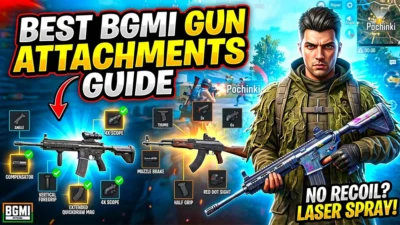
BGMI All Guns List 2026 – Damage, DPS & Best Attachments
Complete BGMI weapon stats for 2026. AR, SMG, sniper, DMR, LMG & shotgun damage, DPS, TTK, best attachments, and tier rankings. Plus…

BGMI Map Guide 2026: Erangel, Miramar & Sanhok Mastery
BGMI Map Guide 2026: Erangel, Miramar & Sanhok Mastery
The Bigger Picture: Are Bugs Pushing Players Away?
The frustration over these persistent bugs is now a leading cause of the “BGMI player exodus,” with long-time players leaving for more stable games . The community feels that updates focus on profit-driven cosmetics instead of essential fixes. The 3.9 update’s hoverboards and neon zones are fun, but they feel like a fresh coat of paint on a crumbling wall .
The other side of the bug problem is cheaters. In March 2026 alone, Krafton banned 527,899 accounts, with over 78% of the bans for modifying game data . This high number shows Krafton is fighting back, but also that game file manipulation remains a widespread problem that sometimes causes false flags for bugs like invisibility.
General Troubleshooting Flowchart
If you encounter any of these bugs, use this flowchart to determine your next step:
-
Restart the Game: Clears client-side issues.
-
Did it work? No: Go to step 2.
-
-
Restart Your Phone + Router: Ensures a clean network and local state.
-
Did it work? No: Go to step 3.
-
-
Run Routine Repair & Update: Fixes corrupted game files .
-
Did it work? No: Go to step 4.
-
-
Check Server Status: Look for official maintenance or outage announcements.
-
Servers up? No: Wait for Krafton to fix.
-
Servers up? Yes: The bug is likely server-side. Record a clip and report the issue through in-game customer service, including a detailed description of what you were doing when it happened.
-
Frequently Asked Questions
What is the most common BGMI bug in 2026?
The most common and game-breaking bug is the “server time out” disconnect. It abruptly ends matches, causes ranking penalties, and is largely a server-side issue at Krafton’s end .
Why is my BGMI so laggy on a good phone?
This is due to poor game optimization. Recent updates have added heavy graphical features that strain even capable processors . The fix is to manually set your graphics to “Smooth,” turn off shadows and anti-aliasing, and disable background recording features like “Highlight Moments” .
How do I fix the “server time out” error in BGMI?
This is mostly a server-side problem, but you can minimize your risk by ensuring your local connection is strong. Before playing, restart your router, turn Airplane Mode on and off to get a fresh cellular connection, and close all other bandwidth-hungry apps.
How many cheaters are being banned in BGMI?
Krafton has released official data showing they banned 527,899 accounts in March 2026 and identified that modifying game data was the most common offense . This shows a massive, ongoing battle against cheaters who also cause unstable lobbies.
Are bugs causing players to leave BGMI?
Yes. Persistent bugs, desync, and a lack of core-game fixes are key reasons cited for a growing community frustration and a wave of players leaving for more stable games .
How do I report a bug in BGMI?
For an exploit like an invisibility glitch, record the footage and report the player. For a technical bug, go to the in-game Customer Service menu, select “Report a Bug,” and describe the issue with as much detail as possible.
More BGMI Help & Guides
-
BGMI Ping Optimizer Guide — Fix the lag and connect to the best server.
-
Fix BGMI Lag on 4GB RAM Android — Get the perfect setup for budget and low-end devices.
-
How to Improve BGMI Gameplay & Rank Push — Tips to rank up even in buggy lobbies.
-
BGMI Best Sensitivity Codes 2026 — Adjust your aim to perfectly match your optimized game.